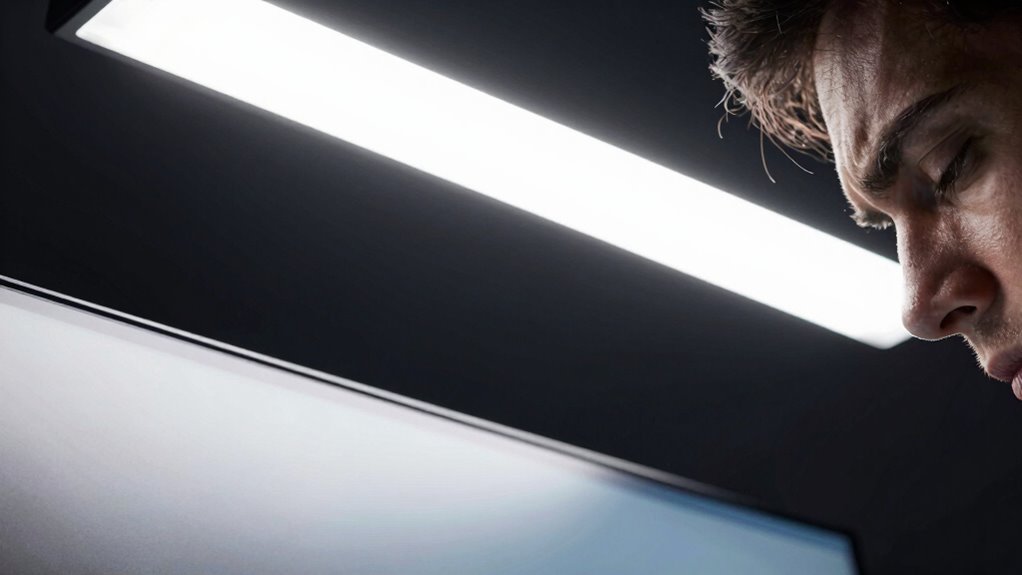
The lighting angle that triggers eye fatigue fastest is when bright light or reflections enter your eyes directly or reflect into your workspace. If a light source is positioned at or above eye level and faces straight toward your eyes, it creates glare that strains your vision quickly. Avoiding such angles is key, so adjusting lights at an angle or using task lighting can help. Keep exploring to discover more about ideal lighting setups for comfort and health.
Key Takeaways
- Direct lighting into the line of sight increases glare and accelerates eye fatigue.
- Lighting positioned at steep angles reflecting into screens causes more visual strain.
- Light sources angled to create uneven illumination or harsh shadows trigger discomfort.
- Overhead lights shining directly down can create glare on screens, leading to fatigue.
- Improperly angled lights that cause reflections on screens significantly contribute to eye strain.

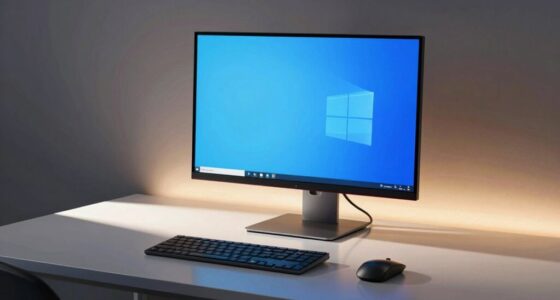
Have you ever noticed how your eyes feel strained or tired after working under certain lighting conditions? It’s a common experience, and it often comes down to the angle of the light hitting your eyes. When lighting isn’t properly aligned, it can cause glare, which is a major contributor to eye fatigue. Glare reduction becomes essential in these situations, especially when you spend hours staring at screens or reading. If the light source creates reflections or bright spots on your monitor or workspace, your eyes have to work harder to focus, leading to discomfort and fatigue.
One of the key factors that influence eye strain is the angle at which light enters your eyes. If the light is directed straight into your line of sight or bounces off reflective surfaces directly into your eyes, it creates high glare levels. This situation forces your eyes to constantly adjust and adapt, which quickly drains their resources. To prevent this, you should aim to position your light source at an angle that minimizes direct glare. Using adjustable lamps or task lighting that you can tilt or swivel helps you control the direction of light, ensuring it illuminates your workspace without causing discomfort.
Ergonomic lighting plays an essential role in reducing eye strain. Instead of harsh, overhead lighting that creates uneven illumination and shadows, opt for a layered lighting approach. Combining ambient light with task lighting allows you to customize the environment to suit your needs. When the lighting is well-balanced, your eyes don’t have to strain to see clearly, and your posture remains comfortable. Proper ergonomic lighting also involves positioning your light sources so that they don’t produce reflections on screens or work surfaces. This reduces the need to squint or adjust your position constantly, both of which contribute to fatigue. Paying attention to lighting angles is crucial in designing a workspace that minimizes eye fatigue. Additionally, choosing the right light temperature can influence comfort and reduce glare, making your workspace more pleasant to work in. Being mindful of lighting placement helps create a more comfortable and eye-friendly environment. Moreover, understanding how reflections and glare impact visual comfort can guide you in optimizing your lighting layout. Incorporating proper lighting design principles can further enhance visual comfort and reduce strain over time.
As an affiliate, we earn on qualifying purchases.
Frequently Asked Questions
How Does Lighting Angle Affect Overall Eye Health Long-Term?
The lighting angle considerably impacts your eye health long-term by influencing eye strain and visual comfort. When lights are poorly angled, you may experience increased eye fatigue, headaches, and difficulty focusing. To protect your eyes, make sure the light source is positioned to minimize glare and reflections, ideally at a 45-degree angle from your line of sight. Proper lighting reduces eye strain, promotes visual comfort, and supports long-term eye health.
What Are the Best Lighting Angles for Different Work Environments?
Did you know that improper lighting angles can cause eye strain in over 80% of workers? For different work environments, aim for a 45-degree angle for desk lighting, minimizing glare. Use warm color temperatures (around 2700K-3000K) for relaxed settings, and higher temperatures (4000K-5000K) for task lighting. Keep ambient brightness balanced to reduce eye fatigue and enhance focus, ensuring your workspace supports healthy vision.
Can Adjusting Lighting Angles Prevent Age-Related Eye Issues?
Adjusting lighting angles can help prevent age-related eye issues by reducing eye strain. Keep the light at a comfortable color temperature, ideally around 4000K to 5000K, to minimize glare and fatigue. Position lights so they don’t shine directly into your eyes or create harsh reflections. Properly angled lighting supports your eyes’ natural focusing ability, easing strain and potentially slowing age-related deterioration.
Are There Specific Lighting Angles Recommended for Screen Use?
For screen use, keep your lighting at a 15-20 degree angle from your line of sight to reduce eye strain. Use warm color temperatures around 3000-4000K, which are softer on your eyes. Make sure good light diffusion to minimize harsh shadows and glare. Adjusting your lighting angle and choosing appropriate color temperature and diffusion can help prevent eye fatigue and make screen time more comfortable.
How Can I Identify if My Lighting Setup Is Causing Eye Strain?
You can identify if your lighting setup causes eye strain by paying attention to your eye comfort. If you notice frequent headaches, dryness, or blurred vision, your lighting might be off. Check the color temperature—ideally, it should mimic natural daylight for better comfort. Also, observe if your eyes feel strained during prolonged screen use; adjusting the lighting angle and choosing softer, warm tones can reduce fatigue and improve overall eye health.
As an affiliate, we earn on qualifying purchases.
Conclusion
Now that you know the lighting angle to avoid, you can steer clear of eye fatigue’s sneaky trap. Think of your eyes as delicate plants needing just the right amount of sunlight—too much glare from the wrong angle can scorch them. Adjust your lighting setup and give your eyes a well-deserved break. After all, protecting your vision isn’t just smart; it’s the key to keeping your world bright and clear without burning out too soon.
As an affiliate, we earn on qualifying purchases.
As an affiliate, we earn on qualifying purchases.