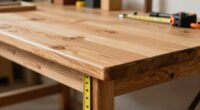
To optimize your workshop layout, follow the “One Reach” rule by keeping your most-used tools within arm’s length and at waist or chest height. This reduces unnecessary bending, stretching, and handling, making your workflow safer and more efficient. Use modular storage solutions like wall racks, drawer inserts, or stackable bins to group tools logically and maintain order. If you’re interested in creating a workspace that’s both organized and ergonomic, you’ll discover effective tips for better tool placement ahead.
Key Takeaways
- Place frequently used tools within arm’s reach at waist or chest height for quick access.
- Use modular storage systems to customize and organize tools based on usage and categories.
- Position larger or power tools so they don’t obstruct workspace flow and are easily accessible.
- Regularly return tools to designated spots to maintain an organized, efficient layout.
- Incorporate ergonomic principles to reduce strain and improve workflow during tool placement.
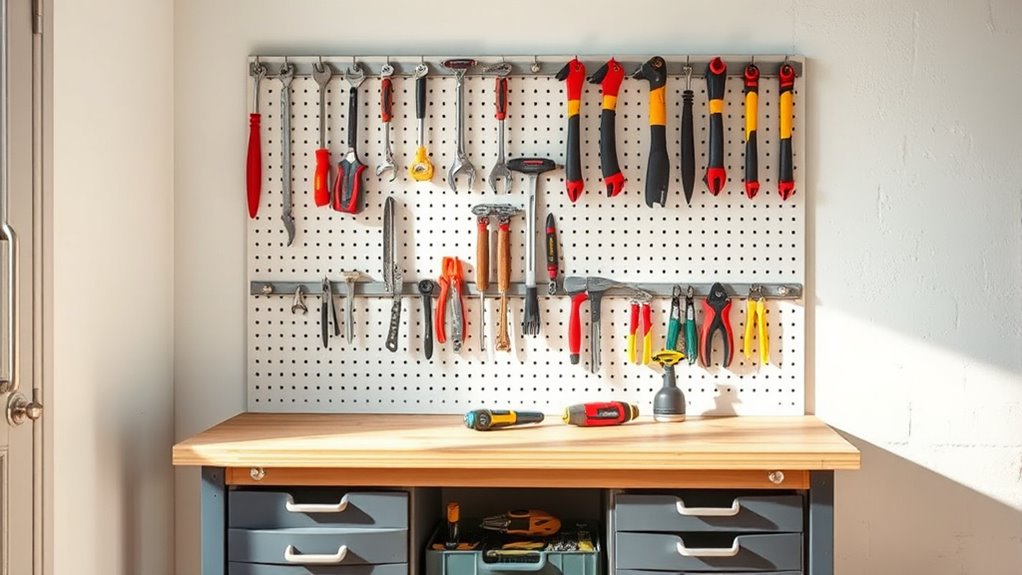
Have you ever struggled to find the right tool when you need it most? That frustration can slow your workflow and decrease your efficiency. The key to avoiding this hassle lies in a well-designed tool storage layout that follows the “One Reach” rule. This approach emphasizes ergonomic placement, ensuring each tool is within easy reach without unnecessary movement. When you organize your workshop with this principle in mind, you minimize time wasted searching and handling tools, making your projects smoother and safer.
One effective way to implement this is through modular systems. Modular storage units allow you to customize your workspace based on your specific needs, creating designated zones for different tools or tool types. These systems are flexible, so as your collection evolves, you can easily reconfigure your layout without starting from scratch. By integrating modular systems, you create a dynamic environment where tools are grouped logically, and everything has a designated spot that’s close enough to be accessed comfortably. This not only improves ergonomics but also helps maintain order, preventing clutter that can lead to misplaced tools or accidental damage.
Modular storage creates flexible, organized zones for tools, enhancing ergonomics and preventing clutter.
The “One Reach” rule is about placing tools where they’re most frequently used. For example, keep your most-used hand tools within arm’s reach, ideally at waist or chest height. This reduces unnecessary bending or stretching, which can cause fatigue over time. Less reaching also decreases the risk of dropping or damaging tools. For power tools or larger equipment, position them nearby but in a way that doesn’t block your movement or workspace. Proper ergonomic placement ensures you can work longer without discomfort, and it promotes a workflow that feels natural and efficient.
To further enhance organization, consider incorporating ergonomic principles into your layout, ensuring your tools are not only accessible but also positioned to reduce strain. Integrating modular systems into your layout makes maintaining this ergonomic placement easier. You can assign specific modules for different categories—such as screwdrivers, pliers, or drills—and position them where you work most often. Use drawer inserts, wall-mounted racks, or stackable bins to keep tools visible and accessible at a glance. The key is to keep your most essential tools in the “One Reach” zone, which reduces the time spent searching and reaching across the workspace. This setup encourages a habit of organization, making it simple to put things back in their designated spots after use, reinforcing the efficiency of your layout.
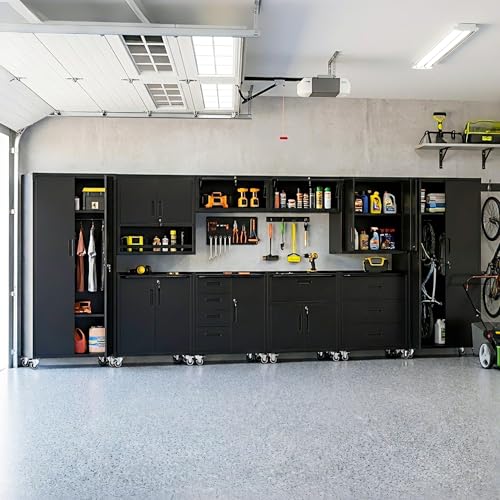
VIYET 10-Piece Heavy Duty Steel Garage Cabinet System | All-in-One Modular Garage Cabinet Set for Ultimate Workshop Organization | Easy Assembly Garage Storage Cabinets & Tool Bench (Black)
- Complete Garage Organization System: All-in-one storage with workbench
- Easy to Assemble: Pre-drilled holes and clear instructions
- Heavy-Duty Steel Construction: Reinforced frames and scratch-resistant finish
As an affiliate, we earn on qualifying purchases.
As an affiliate, we earn on qualifying purchases.
Frequently Asked Questions
How Do I Prioritize Tools for the “One Reach” Layout?
To prioritize tools for the “one reach” layout, focus on tool prioritization by selecting the most frequently used tools first. Use accessibility strategies like grouping similar tools together and placing the most essential items at eye level or within easy arm’s reach. Consider your workflow to guarantee that your most-used tools are always accessible without unnecessary bending or stretching, improving efficiency and safety in your workshop.
What Are Common Mistakes to Avoid in Tool Placement?
Think of your workshop as a well-orchestrated symphony; misplaced tools are like missed notes. Avoid tool clutter by not overloading storage, which causes misplaced tools and delays. Don’t place frequently used tools far apart or in hard-to-reach spots—this breaks the flow. Keep essential tools within one reach, and regularly declutter to prevent chaos. This guarantees smooth operation and minimizes frustration, keeping your workshop in harmony.
How Does This Layout Improve Overall Workshop Safety?
This layout improves your workshop safety by promoting ergonomic safety, reducing strain and fatigue when reaching for tools. It minimizes the need to stretch or bend awkwardly, which can lead to accidents. By organizing tools within easy reach, you prevent accidents caused by slips or falls while searching for equipment. Overall, it streamlines your workflow, making your workspace safer and more efficient, and helps you avoid unnecessary injuries.
Can the “One Reach” Rule Adapt to Small or Large Workshops?
Yes, the “One Reach” rule can adapt to both small and large workshops through storage optimization and ergonomic design. In smaller spaces, you maximize efficiency by arranging tools within easy reach, reducing movement. In larger workshops, you create zones that mirror this principle, ensuring each area is organized for quick access. This flexibility helps maintain safety and productivity, regardless of workshop size.
What Additional Accessories Enhance the “One Reach” Organization?
Think of your workspace as a well-oiled machine; accessories like storage containers and magnetic strips are its essential gears. They enhance the “one reach” rule by organizing small parts and tools, making everything instantly accessible. Storage containers keep tiny items tidy, while magnetic strips hold screwdrivers and pliers in place. Together, they create a seamless flow, ensuring you can grab what you need in a flash without hunting through clutter.

PIYILO 48 in Garage Tool Organizer Wall Mount, Adjustable Tool Storage Rack
- Versatile Garage Organization: Includes six double-layer hooks and three rails
- Easy Wall Mounting: All hardware included for quick installation
- Adjustable Hooks: Fits various sizes of tools and equipment
As an affiliate, we earn on qualifying purchases.
As an affiliate, we earn on qualifying purchases.
Conclusion
By following the “one reach” rule, you’ll create a tool storage layout that’s as smooth and efficient as a well-choreographed dance. Keep frequently used tools close at hand, and design your workspace so everything’s within arm’s reach. This setup helps you work faster, stay organized, and avoid unnecessary clutter. Just like a trusted map guides your journey, a smart layout keeps your workshop running seamlessly—making your projects feel effortless and enjoyable.
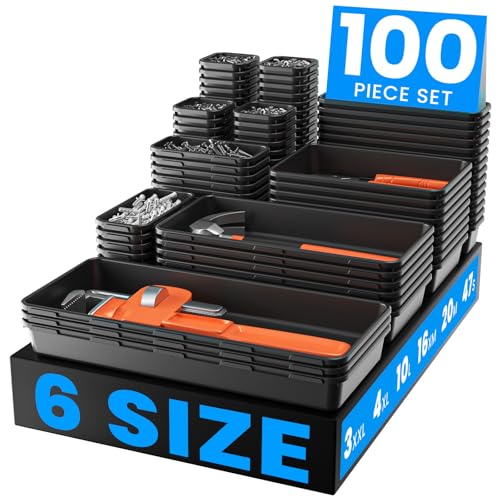
A-LuGei 【𝟲 𝗦𝗜𝗭𝗘】 Tool Box Organizer Tray Set Drawer Organizer Divider
- Includes 100pcs in 6 sizes: Multi-use tool organizers for various tools
- Multiple sizes for versatile storage: Different dimensions to fit many tools
- Drawer-like design for easy access: Fits in drawers or stacks on carts
As an affiliate, we earn on qualifying purchases.
As an affiliate, we earn on qualifying purchases.

Akro-Mils 30230 AkroBins Plastic Storage Bins, Space-Saving Stackable Bins for Garage, Pantry, Craft Organization, 10.5 "L x 5.5 "W x 5"H, Blue, 12-Pack
- Multi-Purpose Storage: Suitable for garage, pantry, craft, and more
- Heavy-Duty Construction: Made from durable, rust-proof industrial plastic
- Space-Saving Stackable Design: Maximizes storage with stable, spill-proof stacking
As an affiliate, we earn on qualifying purchases.
As an affiliate, we earn on qualifying purchases.