A common mistake that can create new pain at your standing desk is neglecting ergonomic accessories and proper body alignment. If your desk isn’t set at the right height and your monitor isn’t eye-level, you may hunch your neck, elevate your shoulders, or strain your wrists. Using only basic features without supportive tools like footrests or ergonomic mats can increase discomfort. To avoid this, focus on customizing your setup—more details ahead will help you optimize your workspace for comfort and health.
Key Takeaways
- Setting the desk at an incorrect height causes shoulder tension or hunching, leading to new pain.
- Failing to use ergonomic accessories like monitor stands or footrests can result in poor posture and discomfort.
- Neglecting proper body alignment, such as monitor at eye level, increases neck strain and pain.
- Relying solely on basic desk features without adjustments or supportive tools can cause muscle fatigue.
- Not regularly adjusting the setup during the day can lead to misalignment and persistent discomfort.

Many people switch to standing desks to improve their posture and boost productivity, but without proper setup, they can unintentionally cause new pain. The most common mistake is neglecting to use ergonomic accessories or properly adjust the desk height. When you don’t set your workspace correctly, you risk straining your neck, shoulders, or back, defeating the purpose of switching to a standing desk in the first place.
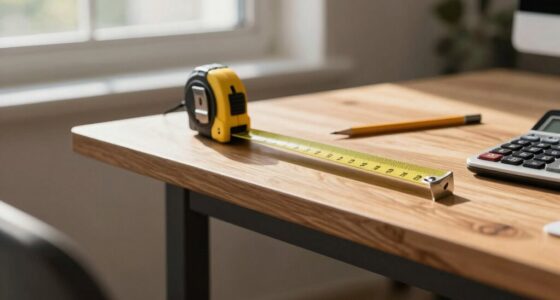
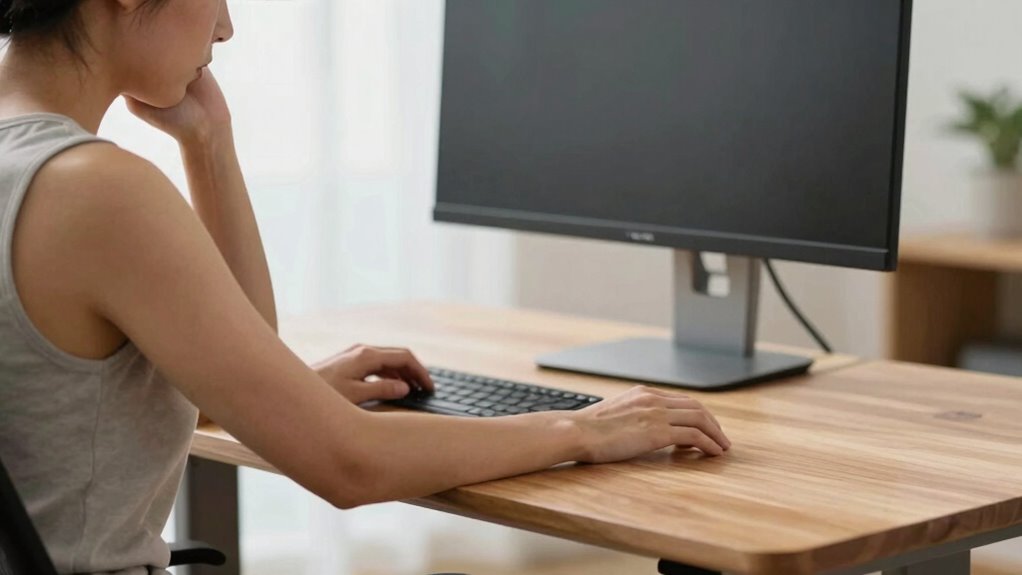
Start with desk height adjustment. Your desk should be at a height where your elbows are bent roughly at a 90-degree angle, with your forearms parallel to the ground. If your desk is too high, you might elevate your shoulders, leading to tension and discomfort. Conversely, if it’s too low, you’ll hunch over, causing strain in your neck and upper back. Many desks don’t come with built-in height adjustability, so investing in a model that allows easy adjustments or using risers can make a significant difference. Once the height is correct, you should be able to work comfortably without shifting your posture constantly.
Adjust your desk to keep elbows at a 90-degree angle for comfortable, strain-free standing.
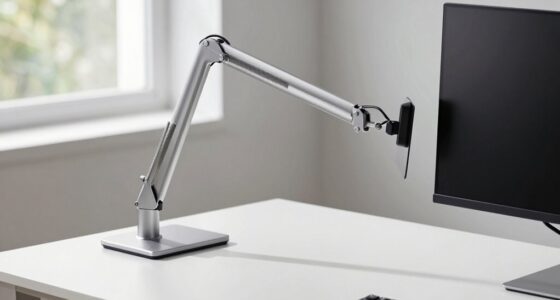
Alongside desk height adjustment, ergonomic accessories play a vital role. An adjustable monitor stand or arm ensures your screen is at eye level, preventing you from craning your neck downward or upward. Using a footrest can help maintain proper posture by supporting your feet, reducing pressure on your lower back and legs. Wrist rests and ergonomic mats can also minimize strain on your wrists and feet during prolonged standing periods. These accessories aren’t just accessories—they’re indispensable tools to create a healthier, more comfortable standing workspace. Proper ergonomic setup is essential for preventing discomfort and ensuring long-term health benefits. Incorporating body alignment principles can further enhance comfort and reduce the risk of pain associated with standing work.
Many people overlook the importance of these accessories and rely solely on the desk’s basic functions. But even the best desk won’t help if your monitor is at an awkward height or your feet aren’t supported. Proper setup involves more than just standing; it’s about aligning your body parts correctly to avoid new pain. Regularly adjusting your desk height and using ergonomic accessories helps you maintain good posture throughout the day, preventing the aches that often come with improper standing setups.
As an affiliate, we earn on qualifying purchases.
Frequently Asked Questions
How Long Should I Stand at My Desk Each Day?
You should aim to stand at your desk for about 2 to 4 hours daily, gradually increasing as your body adapts. Incorporate ergonomic accessories like anti-fatigue mats to reduce strain and guarantee proper posture. Also, pay attention to footwear choices—wear supportive shoes to prevent foot and leg discomfort. Remember to switch between sitting and standing, taking breaks to stretch, which helps prevent new pain and keeps you comfortable throughout the day.
Can Standing Desks Improve Posture Long-Term?
Yes, standing desks can improve your posture long-term if you use ergonomic accessories like anti-fatigue mats and adjustable monitor arms. Your footwear choices also matter—wear supportive shoes to avoid strain. Remember to alternate between sitting and standing to prevent new discomfort. Proper setup encourages better alignment and reduces the risk of musculoskeletal issues, making your workspace healthier and more comfortable over time.
What Are Signs My Standing Desk Setup Is Wrong?
If your standing desk setup is wrong, you’ll notice discomfort or pain in your neck, shoulders, or back. Signs include improper desk height, causing you to hunch or stretch awkwardly, and the lack of ergonomic accessories like a footrest or anti-fatigue mat. Your monitor should be eye level, and your elbows should be at a 90-degree angle. Adjust the desk height and add ergonomic accessories to prevent strain and improve comfort.
Are There Specific Exercises to Prevent Standing Desk Pain?
Yes, you can prevent standing desk pain with specific exercises. Incorporate stretching routines like calf stretches, hamstring stretches, and hip openers to ease tension. Using ergonomic accessories such as anti-fatigue mats and footrests can improve comfort. Regularly shifting your weight, taking breaks, and performing these stretches help reduce strain. Make these routines a daily habit to maintain comfort and prevent pain during long standing periods at your desk.
How Often Should I Switch Between Sitting and Standing?
Switch between sitting and standing every 30 to 60 minutes to stay comfortable and prevent pain. Use ergonomic accessories to support your posture and consider alternative sitting options like ergonomic chairs or stools. This balance boosts blood flow, reduces strain, and keeps you energized. Remember, frequent movement prevents stiffness, so listen to your body and switch positions regularly for ideal comfort and health at your workspace.
ergonomic footrest for standing desk
As an affiliate, we earn on qualifying purchases.
As an affiliate, we earn on qualifying purchases.
Conclusion
So, you’ve mastered the art of standing all day, blissfully ignoring the new aches creeping in. Remember, the standing desk isn’t a magic cure—it’s just another tool you can misuse. If you want to truly avoid pain, maybe stop pretending you’re a statue and start paying attention to your body’s signals. After all, the real secret to comfort isn’t standing longer; it’s standing smarter. Who knew that sitting still might actually save you?
As an affiliate, we earn on qualifying purchases.
As an affiliate, we earn on qualifying purchases.