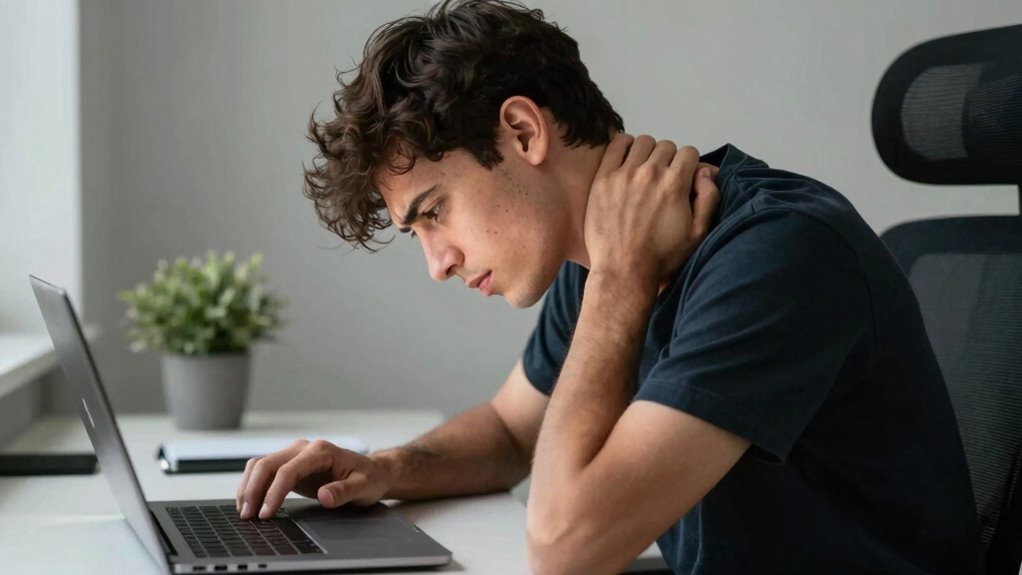

Neck pain at your desk often isn’t just about poor posture but your screen distance and positioning. If your monitor is too far or too low, you tend to tilt or lean forward, straining your neck muscles. To fix this, keep your monitor about an arm’s length away and at eye level, with the top just below your eye line. Proper setup reduces tension and promotes comfort. Explore simple adjustments that can make your workspace healthier and more comfortable.
Key Takeaways
- Improper monitor distance, either too close or too far, causes neck strain from leaning forward or tilting head.
- Maintaining an arm’s length distance with the monitor helps reduce the need to tilt or stretch the neck.
- Monitors placed too low or high force users to tilt their head, leading to tension and discomfort.
- Proper screen placement at eye level prevents unnecessary neck movement and promotes natural posture.
- Regularly adjusting your monitor’s distance and height supports neck health and reduces pain.
Debunk Common Myths About Neck Pain at Your Desk

Many people believe that neck pain at your desk is solely caused by poor posture or sitting too long, but that’s not the whole story. While these factors play a role, misconceptions often overlook other causes. Using ergonomic accessories, like adjustable chairs and monitor stands, can help, but only if properly evaluated through ergonomic assessments. These assessments identify specific issues that might contribute to discomfort, such as improper desk height or monitor placement. Relying solely on common advice or generic solutions can lead to persistent pain. Remember, addressing neck pain requires a tailored approach that considers your unique workspace setup. Proper ergonomic assessments ensure you’re not just guessing but taking targeted action to reduce strain and prevent long-term problems. Incorporating smart home technology like adjustable lighting and automated routines can also create a more comfortable and health-conscious workspace environment.
Why Screen Distance Matters for Neck Comfort
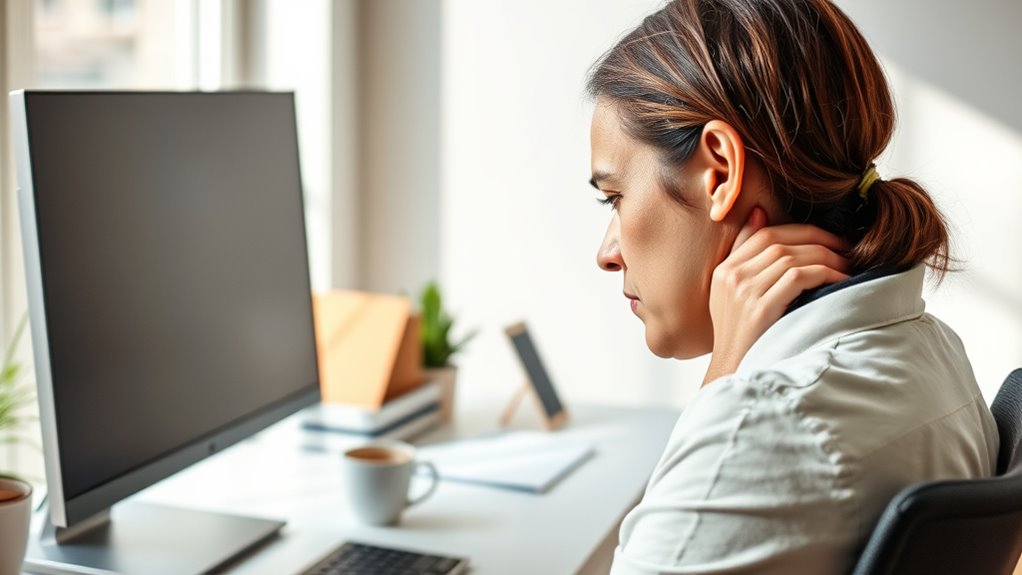
Keeping your screen at eye level helps prevent you from tilting your neck. Sitting at the proper viewing distance reduces strain and keeps your neck comfortable. Avoid leaning forward, as it can lead to unnecessary tension and discomfort. Incorporating ergonomic devices or adjusting your workspace can further support at-home beauty tech that promotes overall comfort and wellness.
Eye-Level Screen Position
To prevent neck strain, positioning your screen at eye level is essential. When your monitor sits too low or high, you’ll strain your neck trying to look at it. Use ergonomic accessories like monitor stands or adjustable arms to attain proper height. Keep these tips in mind:
- Align the top of your screen with your eye level.
- Adjust your chair or monitor to avoid tilting your head.
- Incorporate regular neck stretching to reduce tension.
- Ensure your screen is about arm’s length away for ideal comfort.
Additionally, choosing energy-efficient and sustainable cloud solutions can contribute to a healthier work environment by reducing overall energy strain and promoting better ergonomic practices.
Proper positioning reduces muscle fatigue and promotes good posture. When your screen is at eye level, you maintain a natural neck position, decreasing discomfort. Investing in ergonomic accessories makes this adjustment easier and encourages healthier habits.
Proper Viewing Distance
Maintaining the right viewing distance from your screen is essential for neck comfort because sitting too close or too far can cause you to strain your neck and eyes. Ideally, your monitor should be about an arm’s length away, allowing your eyes to comfortably focus without leaning forward. Using ergonomic accessories, like adjustable monitor stands, can help set the perfect distance and height. Regular ergonomic exercises, such as neck stretches, can also reduce tension caused by improper positioning. Keep in mind that staying at the correct distance minimizes the need to tilt or crane your neck, reducing discomfort over time. Additionally, understanding the importance of proper projector placement can help optimize your viewing experience and prevent strain. By paying attention to your screen placement and incorporating these practices, you’ll promote better posture and prevent neck pain.
Avoiding Forward Leaning
Leaning forward toward your screen puts unnecessary strain on your neck muscles and can lead to discomfort over time. To avoid this, focus on maintaining proper distance and posture. Here are some tips:
- Use ergonomic accessories like adjustable monitor stands to set your screen at eye level.
- Keep your screen about an arm’s length away to prevent leaning in.
- Practice ergonomic exercises, such as neck stretches, to strengthen supporting muscles.
- Regularly check your posture and adjust your chair and desk setup accordingly.
- Incorporate visual and auditory cues to help maintain proper positioning and reinforce good habits.
How to Position Your Monitor to Avoid Neck Strain
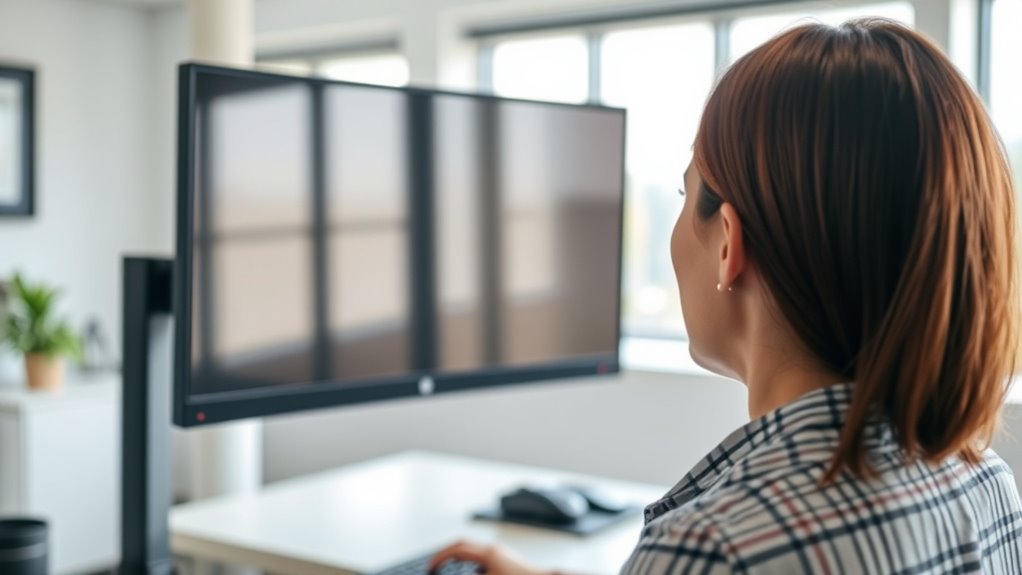
To prevent neck strain, make sure your monitor is at eye level so you don’t have to tilt your head up or down. Keep the screen close enough to see clearly without straining your eyes, and consider using an adjustable mount to easily find the perfect position. Proper monitor placement can make a big difference in reducing neck discomfort throughout your workday. Additionally, ensuring your workspace setup adheres to ergonomic guidelines can support overall comfort and prevent long-term issues. ergonomic workspace setup
Eye Level Alignment
Have you ever noticed how craning your neck to look at a monitor can cause discomfort? To prevent this, focus on eye level alignment. Start by adjusting your monitor so the top of the screen is at or just below your eye level. Use ergonomic accessories like monitor stands or adjustable arms if needed. Keep these tips in mind:
- Position the monitor directly in front of you, about an arm’s length away.
- Ensure the screen is tilted slightly upward for comfortable viewing.
- Avoid looking down or up for extended periods, which strains your neck.
- Incorporate regular neck stretching into your routine to relieve tension.
- Verify your setup with load‑planning tools to ensure optimal ergonomic placement and prevent strain.
Proper alignment reduces strain and supports better posture, helping you stay comfortable during long work hours.
Keep Screen Close
Keeping your monitor close is essential to prevent neck strain, as it reduces the need to tilt or crane your neck to see the screen clearly. Position your monitor about an arm’s length away, ensuring you can read text comfortably without leaning forward. Using ergonomic accessories like monitor arms or stands can help maintain the proper distance and height. Regular ergonomic exercises, such as neck stretches, can also improve flexibility and reduce tension. Adjusting your screen to be directly in front of you minimizes awkward angles, making it easier to keep your neck relaxed. Remember, the goal is to create a workspace that promotes natural posture, reducing strain and discomfort during long hours at your desk. Proper ear wax odor management can also contribute to overall comfort, preventing unnecessary distractions.
Use Adjustable Mount
Using an adjustable monitor mount makes it easy to find the perfect position for your screen. It promotes better posture awareness and helps prevent neck strain. To optimize your setup:
- Position the top of your monitor at eye level, so you avoid looking down or up.
- Keep the monitor about an arm’s length away to reduce eye strain.
- Tilt the screen slightly upward for a natural viewing angle.
- Use ergonomic accessories like monitor arms to easily make adjustments throughout the day.
- Incorporate simple organizational strategies to keep your workspace clutter-free, which can also contribute to better posture by creating a more comfortable environment.
This flexibility allows you to maintain a neutral neck position, reducing tension. An adjustable mount encourages better posture awareness and ensures your workspace supports your health, preventing neck pain caused by improper screen distance and height.
What Is the Right Distance Between Your Eyes and the Screen?

Ever wonder how close your eyes should be to your screen to prevent neck strain and eye fatigue? The ideal distance is generally about an arm’s length, roughly 20 to 30 inches away. This allows your eyes to comfortably focus without straining. To optimize this, use ergonomic accessories like monitor stands or adjustable mounts, which help maintain the proper distance effortlessly. Good workspace lighting is also vital; avoid glare and reflections that can cause you to lean forward or squint. Position your screen so that your gaze is slightly downward, reducing neck tension. Regularly checking and adjusting your distance guarantees your eyes stay relaxed and your neck stays supported, making your workspace both healthier and more comfortable. Additionally, understanding clean-home systems can contribute to creating a more organized and stress-free environment that supports overall well-being.
Adjusting Screen Height and Angle for Better Neck Health

Adjusting your screen height and angle plays a vital role in minimizing neck strain. When your monitor is at eye level, you avoid tilting your head up or down. To get it right:
Proper screen height and angle reduce neck strain and promote comfortable posture.
- Position your screen so the top is at or just below eye level.
- Use an ergonomic chair that supports proper posture.
- Keep your keyboard placement close to your body to prevent leaning forward.
- Tilt your screen slightly back to reduce glare and neck twisting.
These adjustments help maintain a natural neck position, reducing tension and fatigue. Ensuring your screen is properly aligned complements ergonomic chairs and proper keyboard placement, creating a comfortable workspace. Small tweaks can make a big difference in preventing neck pain while working at your desk.
How to Recognize Signs of Poor Desk Ergonomics

Poor desk ergonomics often show up through discomfort and pain that you might overlook initially. You may notice persistent neck stiffness, headaches, or soreness in your shoulders and back, which are signs your setup isn’t supporting your body properly. Pay attention to how your body feels during and after work—if you’re frequently repositioning or experiencing fatigue, it could be a sign. Ergonomic accessories like adjustable chairs, footrests, or monitor stands can help correct these issues. Additionally, consider ergonomic assessments—either self-evaluations or professional audits—to identify problematic areas. Recognizing these signs early allows you to make targeted adjustments, preventing long-term pain and improving overall comfort. If discomfort persists despite small changes, it’s time to reassess your workspace setup.
Easy Changes to Improve Your Desk Setup

Making small, straightforward changes to your desk setup can considerably reduce discomfort and improve your posture. Start by organizing your desk to keep essentials within easy reach, minimizing stretching. Use ergonomic accessories like an adjustable keyboard and mouse to support natural wrist positions. Elevate your monitor so the top is at eye level, reducing neck strain. Keep your chair adjusted so your feet rest flat on the floor and your knees are at a 90-degree angle. Additionally, consider adding a monitor stand or riser to improve desk organization. These simple adjustments can make a significant difference, helping you stay comfortable and focused throughout the day. Small investments in ergonomic accessories and better desk organization pay off in neck pain relief.
Keep Your Neck Healthy With Good Posture and Movement
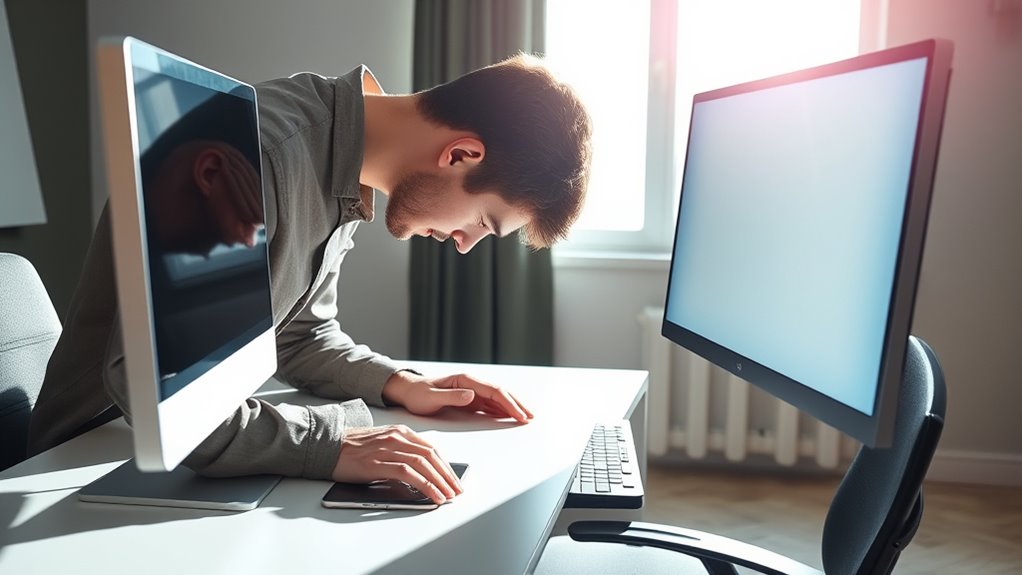
Maintaining good posture and incorporating movement into your day are key steps to keeping your neck healthy. Sit in an ergonomic chair that supports your lower back and encourages proper alignment. Keep your monitor at eye level to avoid straining your neck downward or upward. Proper keyboard placement is vital—position it so your elbows stay close to your sides, and your wrists remain straight. Take regular breaks to stretch and move your neck and shoulders, preventing stiffness and tension. Avoid staying in the same position for too long; instead, shift your posture often. Small adjustments, like rolling your shoulders or gentle neck stretches, can make a big difference. Staying conscious of your posture and moving regularly helps reduce neck strain and promotes overall comfort during your workday.
Frequently Asked Questions
Can Poor Lighting Contribute to Neck Pain at My Desk?
Yes, poor lighting can contribute to neck pain at your desk. Insufficient or harsh lighting causes you to strain your eyes, leading to visual fatigue. To prevent this, use ergonomic lighting that provides even, adequate illumination. When your eyes work harder, you’re more likely to adopt awkward postures, which can strain your neck. Improving your lighting setup helps reduce visual fatigue and keeps your neck in a comfortable, natural position.
Does Using a Laptop Increase the Risk of Neck Strain?
Using a laptop can turn your neck into a stretched rubber band, increasing strain. To prevent this, you should invest in ergonomic accessories like a laptop stand and external keyboard, bringing your screen to eye level. Incorporate neck stretching exercises into your routine to reduce tension. These small changes help maintain proper posture, so your neck doesn’t pay the price for your mobile workspace.
How Often Should I Take Breaks to Protect My Neck?
You should take breaks every 30 to 60 minutes to protect your neck. During these breaks, incorporate ergonomic accessories like adjustable chairs and monitor stands to improve posture awareness. Stand up, stretch, and move around to reduce tension. By staying mindful of your posture and using ergonomic tools, you’ll help prevent neck strain and maintain comfort throughout your workday. Regular breaks are key to long-term relief.
Are There Specific Desk Exercises to Prevent Neck Discomfort?
Did you know that just 10 minutes of ergonomic stretching can markedly reduce neck discomfort? You should incorporate simple desk exercises like neck tilts, shoulder rolls, and chin tucks into your routine. These help with posture correction and prevent tension buildup. Regularly practicing these exercises keeps your neck muscles flexible, reduces strain, and promotes better alignment, making your workday more comfortable and pain-free.
What Role Does Chair Height Play in Neck Health?
Your chair height plays a crucial role in maintaining ergonomic posture and preventing neck pain. When you adjust your chair properly, your feet rest flat on the floor, and your knees are level or slightly lower, helping keep your head aligned with your screen. This reduces strain on your neck muscles. Always ensure your chair supports a neutral spine position, making chair adjustment a simple yet vital step for neck health.
Conclusion
By paying attention to your screen distance and posture, you might just find relief from neck pain—who knew that a simple adjustment could make such a difference? Sometimes, the key to comfort is right in front of you, like the perfect monitor position or taking small movement breaks. So, next time you’re at your desk, remember: a little awareness can go a long way. Your neck will thank you for it!