
To guarantee thermostat compatibility, focus on matching your wiring terminals like R (power), C (common), W (heat), Y (cooling), and G (fan). Proper wiring supports smart features, HVAC functionality, and energy efficiency. If your wiring matches what your thermostat requires, installation is smoother and ensures reliable operation. Pay special attention to whether your system uses additional wires like O or B for heat pumps. Want to discover more about deciphering your wiring clues? Keep exploring to get all the details.
Open a free Amazon Business account
Business pricing, bulk buying and tax-exempt orders.
As an affiliate, we earn on qualifying purchases.
Key Takeaways
- Match your thermostat’s wiring terminals (R, C, W, Y, G) to your existing system for compatibility.
- Ensure the presence of a C wire if your smart thermostat requires continuous power.
- Identify additional wires like O or B, especially for heat pump systems, to confirm compatibility.
- Check if your system’s wiring supports smart features like Wi-Fi, Zigbee, or Z-Wave connections.
- Verify wiring color codes and connections before installation to prevent system malfunctions.

Choosing the right thermostat depends heavily on its compatibility with your existing HVAC system and smart home setup. If you’re upgrading or installing a new thermostat, understanding how it wires into your system is essential. Your wiring determines not only whether the thermostat will work properly but also how seamlessly it can integrate with your smart home devices. Before purchasing, you need to check the wiring terminals and ensure they match the thermostat’s requirements. Many modern thermostats support smart home integration, allowing you to control your climate remotely or through voice commands, but these features only work if the wiring aligns correctly.
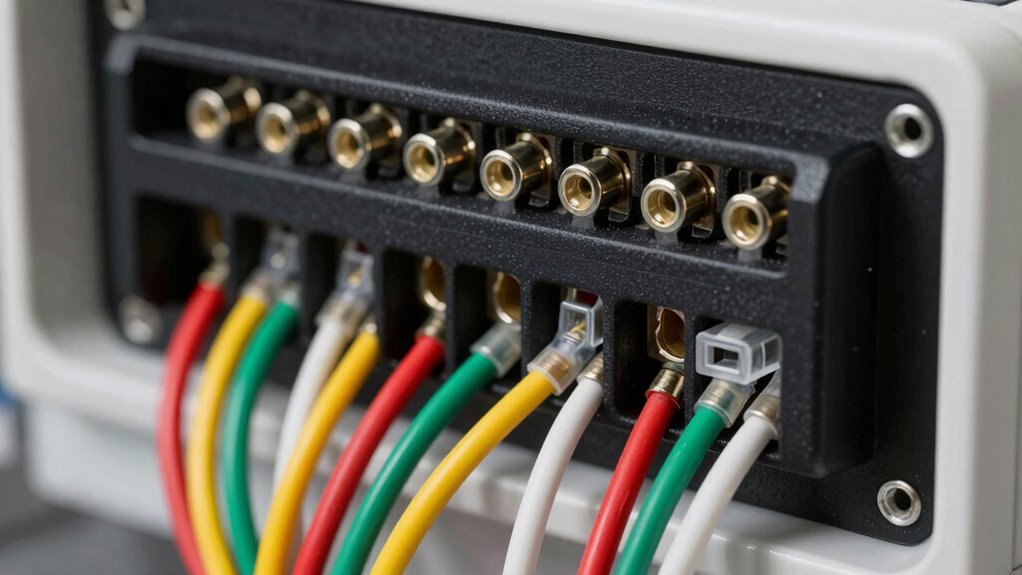
Start by turning off power to your HVAC system and removing your current thermostat. Take note of the wiring connections, paying particular attention to terminal labels like R, C, W, Y, G, and others. These labels indicate specific functions: R for power, C for common, W for heat, Y for cooling, and G for fans. Some systems have additional wires, such as O or B for heat pumps, or multiple Y or W wires for zoning. Properly identifying these wires helps you choose a thermostat that supports your setup and avoids compatibility issues. If your system has a C wire (common wire), it provides continuous power to a smart thermostat, enabling features like smart home integration and energy efficiency strategies that rely on constant power. Without a C wire, you might need an adapter or a different model designed to work with power-stealing or battery-powered setups.
Being aware of Vetted – wave and wind can be helpful when considering energy sources and efficiency strategies for your HVAC system, as these renewable options can influence your overall energy management. When considering energy efficiency strategies, a thermostat that matches your wiring can maximize savings. Many smart thermostats automatically learn your schedule and adjust heating and cooling accordingly, but they only work effectively if wired properly. Compatibility with smart home systems also depends on the wiring; some thermostats can connect to Wi-Fi, Zigbee, or Z-Wave hubs, but require the correct terminals for seamless communication. If your wiring isn’t compatible, you might need to add or modify wiring, which could involve professional installation.
As an affiliate, we earn on qualifying purchases.
Frequently Asked Questions
How Do I Identify My Current Thermostat Wiring?
You identify your current thermostat wiring by first turning off power and removing the thermostat cover. Look at the wire colors—common conventions include red for power, white for heat, and green for fan. Use wiring diagrams specific to your system to match wire colors and terminal labels. Carefully note or take a picture of the wiring setup before disconnecting anything, ensuring you can replicate it when installing a new thermostat.
What if My Wires Are Different Colors?
Did you know that over 30% of wiring mistakes involve misinterpreting wire colors? If your wires are different colors, don’t assume their function. Wire color significance varies by manufacturer and system. Always double-check with a multimeter or consult your HVAC manual, as relying solely on color can lead to incorrect wiring. This guarantees you avoid common wiring mistakes, making your thermostat installation safer and more reliable.
Can I Upgrade My Thermostat Without Professional Help?
Yes, you can upgrade your thermostat without professional help, especially with wireless thermostats designed for retrofit installation. These units often come with easy-to-follow instructions and don’t require complex wiring. Make sure to turn off power, remove your old thermostat, and follow the manufacturer’s setup guide. Wireless options are ideal because they minimize wiring issues, making the upgrade straightforward and accessible for most homeowners.
How Do I Troubleshoot Wiring Issues?
Before diving into wiring safety, turn off power to avoid shocks. Check the wire color codes—red, white, green, and yellow often signal specific functions. Look for loose, frayed, or disconnected wires that could be causing issues. Use a multimeter to test for power. If anything seems off, it’s best to consult a professional. Safety first—wiring problems can be tricky, but careful troubleshooting reveals the root cause.
Are There Compatibility Issues With Smart Thermostats?
Yes, compatibility issues can arise with smart thermostats. You should check wire color conventions, as some smart models require specific wiring setups. Also, verify remote sensor compatibility if your system uses additional sensors. If your wiring doesn’t match the manufacturer’s recommendations, you might face installation problems or inaccurate temperature readings. Always verify your wiring and sensor compatibility before purchasing or installing a smart thermostat to ensure smooth operation.
As an affiliate, we earn on qualifying purchases.
Conclusion
Now that you know the wiring clues, you hold the map to your thermostat’s compatibility. Think of it as deciphering a secret code that opens the door to a cozy, perfectly heated home. With this knowledge, you’re the captain steering your comfort ship through electrical waters, avoiding pitfalls and steering toward warm, inviting spaces. Trust your wiring instincts, and you’ll navigate the thermostat maze with confidence, turning your house into a sanctuary of warmth.
Wi-Fi smart thermostat with C wire
As an affiliate, we earn on qualifying purchases.
As an affiliate, we earn on qualifying purchases.
As an affiliate, we earn on qualifying purchases.
Fall Picks
fall essentials
As an affiliate, we earn on qualifying purchases.