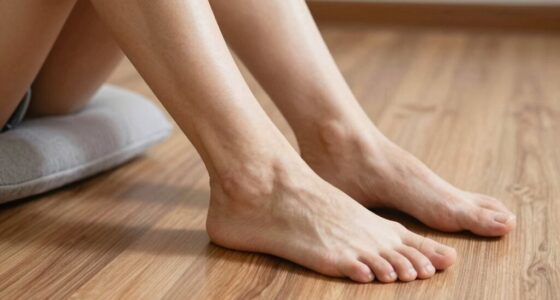
To set up your standing desk using the foot and elbow rule, make sure your elbows are at a 90-degree angle when typing, with your feet flat on the ground or on a footrest. Adjust your desk height accordingly so your monitor is at eye level, promoting natural posture. Keeping these ergonomic principles in mind helps prevent strain and fatigue. If you want to learn more tips for a comfortable, sustainable workspace, keep exploring this guide.
Key Takeaways
- Adjust your desk height so your elbows form a 90-degree angle when typing.
- Keep your feet flat on the ground or on a footrest for proper support.
- Ensure the monitor is at eye level to prevent neck strain.
- Use ergonomic accessories like footrests and monitor arms to support natural posture.
- Incorporate regular movement and stance shifts to maintain comfort during prolonged standing.
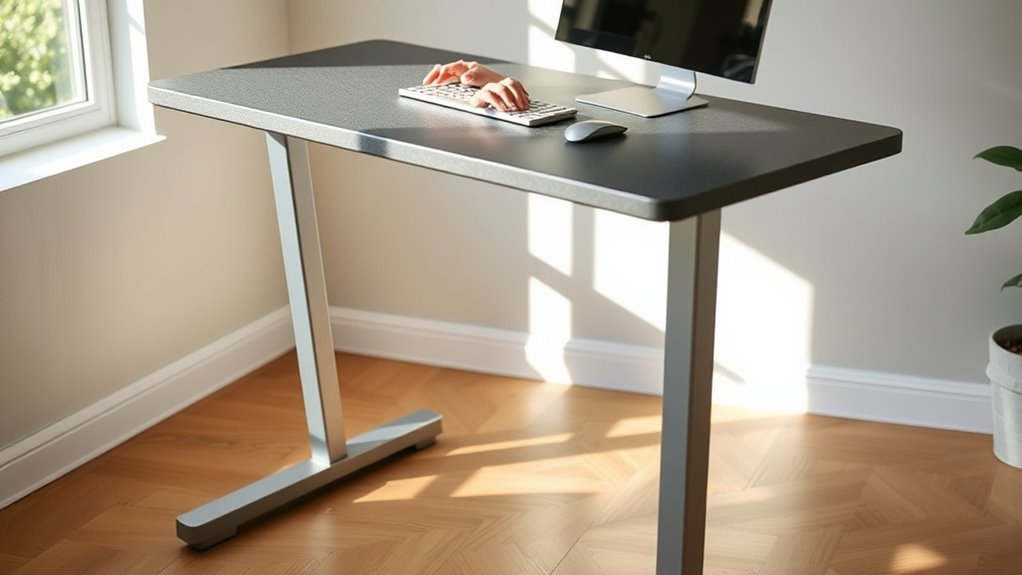
A well-designed standing desk setup can boost your productivity and improve your overall health. When you pay attention to details like ergonomic accessories and desk height adjustment, you create a workspace that supports your body and reduces strain. One of the most effective ways to achieve this is by following the foot and elbow rule, which helps you set up your desk for maximum comfort and ergonomics. By adjusting your desk to the right height, you ensure that your elbows are at a 90-degree angle and your feet are flat on the ground, preventing unnecessary fatigue and discomfort. Incorporating ergonomic principles into your setup enhances comfort and supports your body’s natural alignment. Start by selecting ergonomic accessories that complement your standing desk. An adjustable monitor stand or arm keeps your screen at eye level, reducing neck strain. Anti-fatigue mats are also a great addition, providing cushioning for your feet and encouraging subtle movements that improve circulation. When choosing accessories, prioritize those that support natural body positioning and can be easily adjusted as needed. This flexibility allows you to switch between sitting and standing throughout the day without compromising your posture. Next, focus on desk height adjustment. The key is to set your desk so that your elbows form roughly a 90-degree angle when your hands are on the keyboard. This position minimizes strain on your shoulders and wrists, helping you work comfortably for longer periods. Many standing desks come with electric height adjustment features, making it easy to find the perfect level. If yours is manual, take the time to set it carefully, and consider using a measuring tape or a height gauge to ensure consistency. Remember, your feet should rest flat on the ground or on an ergonomic footrest if your desk is too high, and your monitor should be positioned so that the top of the screen is at or just below eye level. Maintaining proper desk height also involves frequent movement and adjustments. Don’t hesitate to shift your stance, stretch, or move around periodically to avoid stiffness. Keep ergonomic accessories within easy reach so you’re not straining to grab them, and ensure your workspace is organized to promote natural motions. By following the foot and elbow rule combined with thoughtful ergonomic accessory choices and precise desk height adjustment, you create a standing desk setup that promotes comfort, reduces fatigue, and enhances your productivity throughout the day. Regularly reassessing your setup ensures it continues to suit your body’s needs, making standing work a sustainable and healthy habit.
Frequently Asked Questions
How Do I Adjust My Standing Desk for Different Heights?
To adjust your standing desk for different heights, first modify the desk height so your elbows are at a 90-degree angle when your arms are relaxed. Make ergonomic adjustments by ensuring your screen is at eye level and your wrists stay straight. Use the desk’s height controls or adjustable legs to find the perfect position. Always double-check your posture to prevent strain and promote comfort during long work sessions.
What Footwear Is Best for Standing Desk Work?
Imagine you’re on your feet for hours at your standing desk. The best footwear choices are ergonomic footwear, like cushioned sneakers with arch support. For example, Jane switched from flats to supportive sneakers and experienced less foot fatigue. Look for shoes with good shock absorption, a supportive sole, and a comfortable fit. These choices help reduce strain, keep you comfortable, and improve your overall standing desk experience.
How Long Should I Stand at My Desk Each Day?
You should aim to stand at your desk for about 2 to 4 hours each day, breaking it into intervals to prevent fatigue. Use ergonomic accessories like anti-fatigue mats and sit-stand converters to support posture correction and comfort. Listen to your body, and switch between sitting and standing frequently to reduce strain. Proper setup and regular movement help maintain good posture and boost productivity.
Can I Use a Footrest With a Standing Desk?
Yes, you can use a footrest with a standing desk. A footrest benefits you by reducing lower back strain, improving posture, and offering comfort during long standing periods. Pair it with ergonomic footwear to enhance stability and support, preventing fatigue. Just make certain your footrest is adjustable and promotes natural movement, so you can shift your weight comfortably and maintain proper alignment throughout your workday.
What Are Signs of Poor Ergonomic Setup?
You notice signs of poor ergonomic setup when you experience foot pain or elbow discomfort after working. If your feet feel sore or numb, or your elbows ache or tingle, these are clues you’re not aligned properly. Poor posture, inadequate support, or incorrect desk height can cause these issues. Adjust your setup by ensuring your feet are flat, elbows are at a 90-degree angle, and your workspace supports proper alignment.
Conclusion
By following the foot and elbow rule, your standing desk setup becomes a solid foundation for comfort and productivity. Think of it as tuning a fine instrument—you’ll find everything in perfect harmony when your feet and elbows align properly. Remember, small adjustments can turn your workspace into a well-orchestrated environment, preventing strain and boosting focus. Keep these guidelines in mind, and your workspace will support you like a trusted compass guiding you toward better health and efficiency.