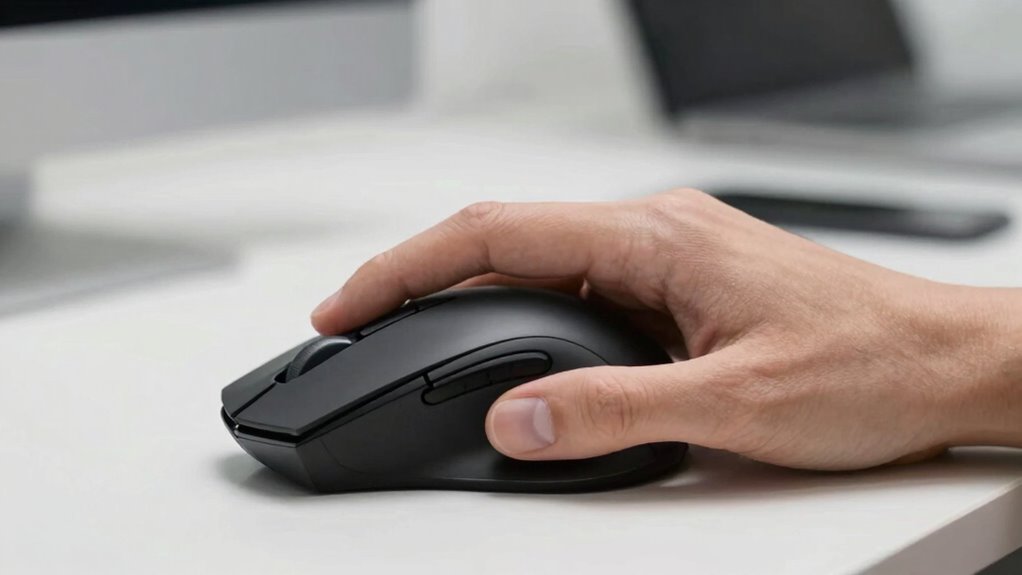

Using a traditional mouse forces your forearm into a pronated position, twisting your muscles and causing fatigue over time. This unnatural rotation increases tension on tendons and nerves, raising your risk of discomfort and injury like carpal tunnel syndrome. Vertical mice promote a more natural, handshake-like grip, reducing forearm rotation and strain. If you want to understand how adopting a vertical mouse can improve your comfort and prevent issues, keep exploring further.

Prime made for students and young adults
- Fast, free delivery for dorm and study essentials
- Prime Video and Amazon Music included
- Member-only deals
Key Takeaways
- Traditional mice cause forearm pronation, leading to unnatural twisting and muscle fatigue.
- Vertical mice promote a handshake grip, keeping the forearm in a more neutral, less rotated position.
- Forearm rotation increases pressure on nerves and tendons, heightening injury risk.
- Using vertical mice reduces rotational stress, supporting better muscle relaxation and comfort during extended use.
- Proper ergonomic design of vertical mice helps prevent repetitive strain injuries and long-term musculoskeletal issues.

A vertical mouse is designed to promote a more natural hand position, helping to reduce strain and discomfort during prolonged computer use. Its ergonomic design encourages a handshake-like grip, which aligns your hand and wrist in a way that minimizes unnatural twisting. When you use a traditional mouse, your hand often rests in a pronated position, causing your forearm to rotate inward. Over time, this rotation can lead to muscle fatigue, tension, and even repetitive strain injuries like carpal tunnel syndrome. By contrast, a vertical mouse helps you maintain better hand posture, keeping your wrist in a neutral position and reducing the rotational stress on your forearm.
A vertical mouse promotes natural hand posture, reducing wrist twisting and forearm strain during extended computer use.
This improved ergonomic design directly addresses the forearm rotation problem. When you keep your hand in a more natural orientation, you avoid the twisting that occurs with conventional mice. The forearm’s rotation is a key factor in repetitive strain injuries because it places unnecessary strain on muscles, tendons, and nerves. With a vertical mouse, you’re less likely to experience these issues because it encourages a more aligned forearm and wrist position. As a result, you can work longer without discomfort or fatigue, maintaining productivity and comfort.
Using a vertical mouse requires you to adjust your hand posture, but the shift is often straightforward. You’ll find that your hand naturally rests in a more relaxed, open position, which reduces tension in your forearm and shoulder. This ergonomic shift not only alleviates existing discomfort but also helps prevent future problems. The design promotes a healthier interaction with your workspace, making repetitive tasks less taxing on your body.
Moreover, the benefits extend beyond immediate comfort. Proper hand posture supported by a vertical mouse can improve your overall ergonomic setup, encouraging better habits and reducing the risk of musculoskeletal disorders. It’s especially helpful if you spend hours at your desk, as it minimizes the cumulative stress on your forearm muscles. Additionally, choosing an ergonomic device like a vertical mouse can support preventive health measures by reducing the likelihood of developing long-term injuries. By choosing a vertical mouse, you’re investing in your long-term musculoskeletal health, ensuring that your workspace promotes comfort and efficiency.
As an affiliate, we earn on qualifying purchases.
Frequently Asked Questions
How Long Does It Take to Adapt to a Vertical Mouse?
It typically takes about one to two weeks for you to adapt to a vertical mouse. During this ergonomic adaptation, your muscles relearn proper movement patterns, reducing strain. Expect initial discomfort, but as you use it daily, your muscle memory will adjust. Consistent use helps speed up this process, and within a couple of weeks, you’ll likely feel more comfortable and experience less forearm fatigue.
Are Vertical Mice Suitable for Gaming?
Vertical mice can be suitable for gaming, especially if you value ergonomic design and want to reduce strain. While they might not offer the same precision as traditional gaming mice, many models are optimized for gaming performance with customizable buttons and high DPI. You might need some time to adapt, but once comfortable, you’ll enjoy both improved comfort and effective gameplay. Just choose a vertical mouse designed with gaming features.
Can Vertical Mice Help With Existing Forearm Pain?
Vertical mice can help with your existing forearm pain by promoting an ergonomic posture that reduces strain. They encourage a natural hand position, which improves wrist comfort and minimizes discomfort during extended use. By using a vertical mouse, you may experience less tension in your forearm and better overall comfort, making it a beneficial option if you’re dealing with pain caused by repetitive movements or poor ergonomics.
What Is the Cost Difference Between Vertical and Traditional Mice?
You’ll find vertical mice typically cost more than traditional ones, with prices ranging from $50 to $150, while standard mice often stay under $50. For example, a graphic designer switching to a vertical mouse might weigh the cost comparison against improved comfort and reduced pain. An affordability analysis shows that investing a bit more initially can save you money long-term on health. Ultimately, vertical mice are a worthwhile upgrade for ergonomic benefits.
Are There Specific Brands Known for the Best Vertical Mice?
You’ll find that brands like Logitech, Anker, and Evoluent are known for their ergonomic design and solid brand reputation when it comes to vertical mice. These companies focus on comfort, reducing forearm strain, and durability. Choosing a reputable brand guarantees you get quality features and good customer support. Look for reviews and specifications to find the best vertical mouse that fits your ergonomic needs and budget.
vertical computer mouse for wrist pain
As an affiliate, we earn on qualifying purchases.
As an affiliate, we earn on qualifying purchases.
Conclusion
Switching to a vertical mouse might seem like a small change, but it can considerably improve your comfort. Imagine your forearm relaxed, free from strain, unlike the pain and fatigue caused by traditional mice. It’s a simple switch that challenges the norm, encouraging self-care over discomfort. Embrace this change; your body deserves it. After all, isn’t a healthier, pain-free workday worth a little adjustment? Your future self will thank you for making the change today.
ergonomic mouse for carpal tunnel syndrome
As an affiliate, we earn on qualifying purchases.
As an affiliate, we earn on qualifying purchases.
vertical mouse with adjustable DPI
As an affiliate, we earn on qualifying purchases.
As an affiliate, we earn on qualifying purchases.
Halloween Picks
halloween
As an affiliate, we earn on qualifying purchases.