Monitor arms are especially important for large screens because they let you precisely adjust the height, tilt, and distance for ideal comfort. Without them, you’ll constantly struggle to find the right position, increasing your risk of neck and eye strain. They also keep your workspace tidy and safe by securely supporting heavy monitors. If you want to make your setup more ergonomic, organized, and adaptable, there’s more to discover on why they’re a must-have for big screens.

Prime made for students and young adults
- Fast, free delivery for dorm and study essentials
- Prime Video and Amazon Music included
- Member-only deals
Key Takeaways
- Large screens require precise positioning to prevent neck and eye strain, which monitor arms facilitate effectively.
- They offer safe support and stability, reducing the risk of damage or accidents with heavier displays.
- Adjustable arms enable optimal ergonomic angles, crucial for large screens that are harder to reposition manually.
- Monitor arms help manage cables and declutter the workspace, enhancing aesthetics with sizable screens.
- Flexibility in placement and movement allows large screens to be tucked away or adjusted for different tasks, maximizing workspace efficiency.
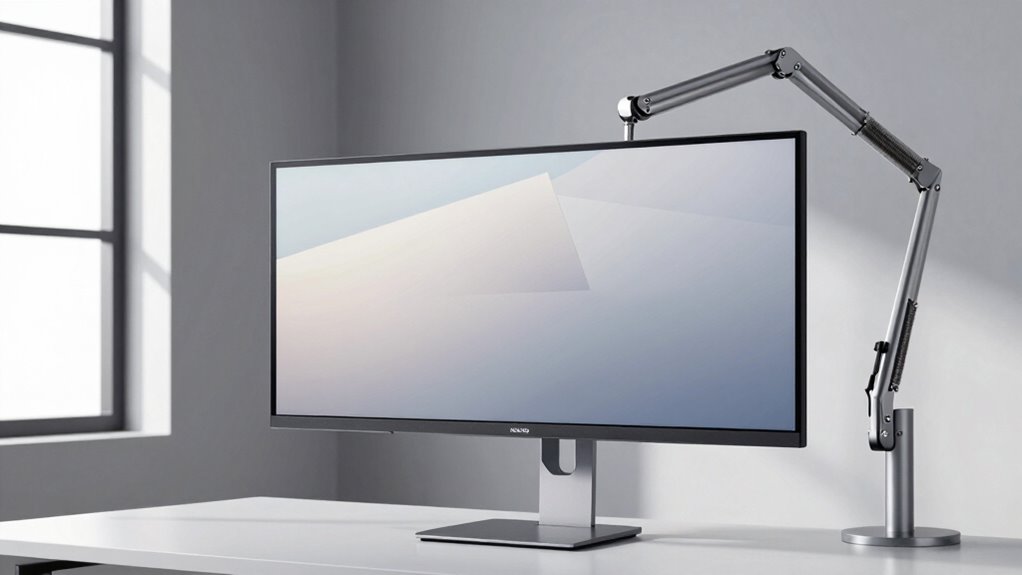
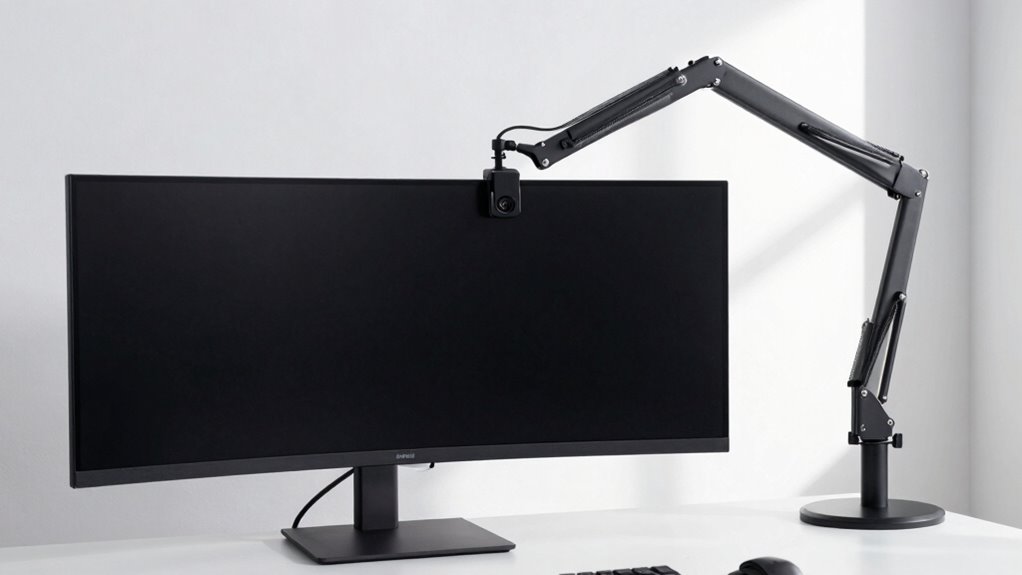
As screens grow larger, the importance of a robust monitor arm becomes increasingly clear, especially if you want to maintain an ergonomic workspace. Larger screens can be impressive and immersive, but they also pose unique challenges when it comes to positioning and comfort. A good monitor arm allows you to make precise ergonomic adjustments, guaranteeing your screen is at eye level, reducing neck and eye strain, and promoting better posture. Without an adjustable arm, you might find yourself constantly repositioning your monitor or suffering from discomfort after long hours of work. With a sturdy monitor arm, you can effortlessly move your large screen closer or farther away, tilt it for different viewing angles, or rotate it to suit your task, all of which help you stay comfortable and focused throughout the day. Proper ergonomic workspace setup is essential to prevent long-term discomfort and improve productivity. Additionally, choosing a monitor arm with weight capacity ensures it can support larger screens securely, preventing potential accidents or damage. Beyond ergonomic benefits, monitor arms also offer aesthetic enhancements to your workspace. Large screens tend to dominate a desk visually, but a sleek, well-designed monitor arm can conceal cables, reduce clutter, and give your setup a cleaner, more professional look. This clean appearance isn’t just about style — it also improves functionality by making your workspace easier to organize and maintain. When your monitor is mounted on an arm, you can hide unsightly cables, prevent accidental knocks, and free up valuable desk space. A well-designed monitor arm can also adapt to different work environments, making your setup more flexible and versatile. In fact, a flexible mounting solution can significantly enhance your overall workspace efficiency by allowing quick adjustments based on your needs. The ability to tuck your monitor neatly into a corner or fold it away when not in use makes your workspace feel more open and inviting, and understanding the supporting weight of your monitor ensures safety and stability.
large monitor adjustable monitor arm
As an affiliate, we earn on qualifying purchases.
As an affiliate, we earn on qualifying purchases.
Frequently Asked Questions
Can Monitor Arms Support Ultrawide or Curved Screens Effectively?
Yes, monitor arms can support ultrawide or curved screens effectively if they’re VESA compatible and have the right weight capacity. You need to check the monitor’s VESA mount size and weight to confirm compatibility. A sturdy monitor arm with a high weight capacity provides stability and flexibility, allowing you to adjust your ultrawide or curved screen comfortably without worrying about it sagging or falling.
Are There Specific Monitor Arms Designed for 4K or 8K Displays?
Did you know that over 60% of high-resolution display users prefer specialized monitor arms? Yes, there are specific monitor arms designed for 4K or 8K displays. These arms prioritize display flexibility and mount stability, ensuring your ultra-high-definition screens stay secure and adjustable. They support the weight and size of such advanced displays, giving you a smooth, ergonomic experience without risking stability or damaging your valuable monitor.
How Do Monitor Arms Affect Screen Stability During Intense Work?
Monitor arms greatly improve screen stability during intense work by securing your display firmly. They reduce vibrations and wobbling, which can occur with large screens during rapid movements or typing. With sturdy mount stability and vibration reduction features, your monitor stays steady, minimizing distractions and potential damage. This stability is especially important for large, high-resolution screens, ensuring a consistent viewing experience and protecting your investment during demanding tasks.
Can Monitor Arms Improve Ergonomic Health for Large Screen Users?
Yes, monitor arms substantially improve ergonomic health for large screen users. They allow you to adjust your screen’s height, tilt, and distance, promoting better posture and reducing neck and shoulder strain. This flexibility also helps minimize eye strain by positioning the display at a comfortable eye level and appropriate distance. With a monitor arm, you can create a more ergonomic workspace that supports long-term comfort and reduces fatigue.
What Are the Cost Differences Between Basic and Advanced Monitor Arms?
A basic monitor arm can cost around $50 to $100, while advanced models range from $200 to $600 or more. The cost comparison shows that investing in an advanced monitor arm offers better durability, flexibility, and ergonomic features. When considering budget considerations, think about how much you’re willing to spend for long-term comfort and functionality. Higher-end models might seem pricey initially but can save you money over time by lasting longer.
ergonomic monitor arm for big screens
As an affiliate, we earn on qualifying purchases.
As an affiliate, we earn on qualifying purchases.
Conclusion
As you glance at your expansive screen, imagine it floating effortlessly on a sturdy monitor arm, freeing your space and easing your neck. With a simple movement, you can tilt, swivel, or elevate it, turning your desk into a seamless extension of your workspace. Large screens demand more support and flexibility—so don’t let your setup be a burden. Embrace the stability and freedom a monitor arm provides, transforming your viewing experience into pure comfort and clarity.
heavy-duty monitor mount for large monitors
As an affiliate, we earn on qualifying purchases.
As an affiliate, we earn on qualifying purchases.
As an affiliate, we earn on qualifying purchases.
Halloween Picks
halloween
As an affiliate, we earn on qualifying purchases.