
TL;DR

Prime made for students and young adults
- Fast, free delivery for dorm and study essentials
- Prime Video and Amazon Music included
- Member-only deals
Prebuilt AI workstations now often match or beat DIY builds on price thanks to component shortages and bulk buying. The choice comes down to control, support, and how much time you want to invest in tuning your system.
Ever feel like the old rule — ‘building is cheaper’ — no longer applies? In the world of AI workstations, that’s become true. The surge in AI demand has driven up component prices, turning the build vs buy debate into a complex puzzle. This isn’t just about saving money anymore. It’s about time, control, and reliability.
Here’s what you’ll learn: when a prebuilt might save you hours and headaches, and when a DIY build still makes sense. Plus, real-world tips to help you make the right call in 2026, amid shortages and skyrocketing costs.
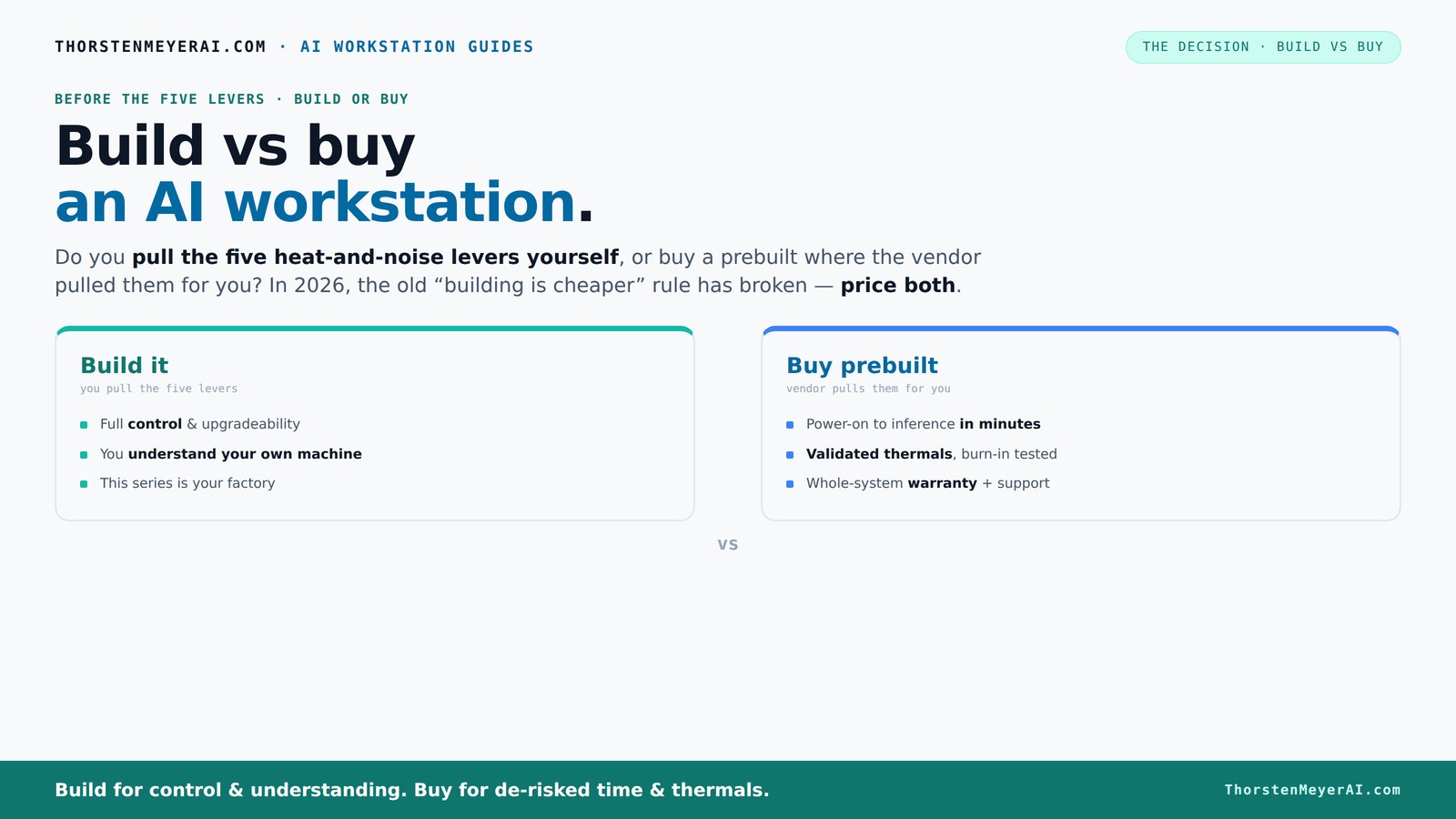
Build vs buy
an AI workstation.
The real question behind this whole series: do you pull the five heat-and-noise levers yourself, or buy a prebuilt where the vendor pulled them for you? And in 2026, the old “building is cheaper” rule has broken. Match your situation in Part 3.
Key Takeaways
- In 2026, prebuilt AI workstations often match or beat DIY costs due to component shortages and bulk discounts.
- Prebuilts offer validated thermals, reduced noise, and support, making them ideal for quick deployment and reliability.
- DIY builds give full control over components, cooling, and future upgrades—best for experienced hobbyists or niche needs.
- Consider your long-term goals: building offers flexibility, but prebuilt systems reduce setup time and troubleshooting.
- Always compare current prices for both options—market conditions have shifted the traditional build vs buy advantage.
As an affiliate, we earn on qualifying purchases.
Why Building Your Own AI Workstation Isn’t Always Cheaper Anymore
Building used to be the clear winner for cost. Not anymore. Today, component shortages and bulk purchasing have shifted the landscape. A DIY system with high-end GPUs, DDR5 RAM, and SSDs now easily costs over $1,250—more than many prebuilt systems.
For example, a builder might spend hours sourcing parts that are suddenly inflated or out of stock. Meanwhile, a vendor like Lambda or Puget has already assembled a system using bulk discounts, passing some savings directly to you. Build vs Buy a Prebuilt AI Workstation. According to recent market data, prebuilt systems can now match or beat DIY prices, especially for multi-GPU setups [1].
Beyond just the price, this shift impacts the decision-making process. The time spent sourcing components, troubleshooting compatibility issues, and waiting for parts can outweigh the initial cost savings of building. Additionally, the risk of running into supply chain delays or inflated prices means that DIY might not be the cost-effective or practical choice for many users in 2026. This new landscape emphasizes the importance of evaluating total cost of ownership, including time and risk, rather than just initial expenditure.
As an affiliate, we earn on qualifying purchases.
The Heat and Noise Puzzle: Who Sets the Thermals?
High-performance AI workstations are heat monsters. Managing heat and noise is like tuning a race car engine—pull the wrong lever, and it overheats or sounds like a jet engine.
Prebuilts from vendors like BIZON or Lambda come with factory-validated thermals. They do 24–48 hours of burn-in testing, tune the fans, and sometimes add water-cooling for whisper-quiet operation. When you buy, you skip this whole process—trusting their expertise.
Building your own means you pull all those levers. You choose a quiet GPU, pick a case with sound dampening, and tune fan curves yourself [2]. This process isn’t just about making the system quieter; it’s about optimizing thermal performance to prevent overheating, which can throttle GPU performance or shorten component lifespan. The tradeoff is that it requires a good understanding of thermal dynamics and airflow management. If done correctly, it results in a quieter, more stable system, but missteps can lead to overheating or excessive noise, impacting both performance and longevity. Therefore, thermal management is a critical factor that can significantly influence the real-world performance and reliability of your AI workstation.
As an affiliate, we earn on qualifying purchases.
Who Gets the Most from a Prebuilt System?
If you need a machine that’s ready to run out of the box, prebuilts are your best bet. They come with OS, drivers, and AI software stacks already installed. Just plug in and start training your models. farmingtips.org.
For example, a data scientist can get a fully configured rig shipped within days—no hassle, no compatibility headaches. Plus, they include warranties and support, reducing downtime if something breaks [3].
High-end multi-GPU setups? Vendors validate these configurations under load, which DIY builders often struggle to match without significant trial and error. Build vs Buy a Prebuilt AI Workstation. The pre-validation process ensures that the system performs optimally under typical workloads, saving users from the often time-consuming process of tuning and troubleshooting. This reliability is especially important in professional or production environments, where downtime can be costly. The convenience, support, and verified performance make prebuilts particularly suitable for users who prioritize stability and quick deployment over customization.
As an affiliate, we earn on qualifying purchases.
When Building Your Own AI Rig Makes Sense
Are you a hobbyist or student with time and technical skills? DIY might still be your best move. You can select specific parts—like a quieter GPU or a specialized cooler—and customize everything.
Say you want the best VRAM or a particular motherboard. Building gives you full control over each component, and you learn tons along the way. Plus, if you’re in a niche workflow or need proprietary setups, DIY is unbeatable.
However, the tradeoff is that building requires patience, troubleshooting skills, and time. It’s not just about assembling parts; it’s about understanding how they work together—especially in high-performance environments where thermal and power management are crucial. The benefits include tailored performance, potential cost savings if you’re savvy with sourcing, and the educational value of building your system. But for most users, especially those without experience or limited time, the risks of misconfiguration or compatibility issues can outweigh the benefits. Therefore, DIY is best suited for those who enjoy tinkering and have the necessary skills to optimize their system’s performance and stability.
Compare the Core Factors: Build or Buy?
| Factor | Prebuilt AI Workstation | DIY Build |
|---|---|---|
| Cost | Often competitive or even cheaper due to bulk buying, especially for high-end multi-GPU setups | Can be cheaper if you source parts during sales, but prices have risen in 2026 |
| Time to Ready | Minutes to hours—plug-and-play | Hours to days—assembly, testing, troubleshooting |
| Support & Warranty | Included, often 3-5 years, with dedicated support | Self-managed; support depends on individual vendors for parts |
| Customization | Limited by vendor options; some flexibility | Full control over every part, cooling, and setup |
| Upgradability | Limited—depends on design and vendor upgrades | Flexible—swap out parts over time |
| Thermal & Noise Tuning | Factory-validated, tuned for low noise and heat | You pull the levers—requires skill |
Future-Proofing: Which Approach Lasts Longer?
Upgradability and future-proofing matter more than ever. Building your own gives you the freedom to swap CPUs, add more RAM, or upgrade GPUs over time. This flexibility allows you to adapt your system to evolving AI workloads, hardware innovations, and changing software requirements. It can also extend the useful lifespan of your workstation, delaying the need for a complete overhaul.
Prebuilts are designed with a fixed configuration, often optimized for current standards but limited in upgrade paths. Proprietary components, limited internal space, or integrated cooling solutions can prevent significant upgrades later on. If your goal is to stay ahead in AI, the ability to upgrade individual components—especially GPUs and storage—can be crucial. Therefore, your long-term plans should influence your choice: if you want a system that evolves with your needs, building might be the better route, despite potentially higher initial effort.
Power and Cooling Efficiency: Build or Buy?
Efficiency isn’t just about energy bills; it’s about thermal stability and noise. Prebuilts often come with optimized cooling solutions—water-cooling or specially tuned fans—validated by the vendor. These systems are designed to balance performance, noise, and energy consumption out of the box, reducing the need for user intervention.
DIY builds offer the opportunity to tailor cooling and power setups for maximum efficiency. You can choose quieter GPUs, undervolt components to reduce power draw, and select cases with superior airflow. However, achieving optimal efficiency requires testing, experience, and careful component selection. Mistakes can lead to increased power consumption, thermal throttling, or excessive noise, which diminish the benefits of customization. In 2026, many vendors market AI systems with built-in power management features that optimize energy use during operation, sometimes surpassing DIY efforts in real-world efficiency. This makes prebuilt solutions attractive for users seeking reliable, out-of-the-box efficiency without extensive tuning.
Choosing Based on Your Use Case
If you’re deploying AI in a business or research setting, validated hardware with support is key. Prebuilts reduce the risk of incompatibility, provide reliable performance, and include support contracts that minimize downtime. They are often tested under real workloads, ensuring stability for critical tasks.
For creative work, local LLMs, or hobby projects, DIY offers more control and customization. You can tailor the hardware to specific software requirements, optimize cooling and noise levels, and potentially save money if you’re willing to invest the time. This route benefits those who enjoy tinkering and have the technical skills to fine-tune their setup for maximum performance.
Ultimately, your choice depends on whether you prioritize quick deployment and reliability or control and customization. Understanding your primary use case helps align your decision with your goals, whether that’s minimizing downtime or maximizing system flexibility.
Your Final Checklist Before Deciding
- Set a clear budget—include parts, assembly, and support costs.
- Decide how much time you want to invest in setup and troubleshooting.
- Evaluate your need for future upgrades and control.
- Check vendor reputation for support and warranty.
- Compare component prices now—don’t assume DIY is cheaper anymore.
Frequently Asked Questions
Is it cheaper to build or buy a prebuilt AI workstation in 2026?
Thanks to component shortages and bulk purchasing, prebuilt systems often cost as much or less than DIY builds now. Always compare prices for your specific config, but don’t assume building is cheaper anymore.Which performs better for AI workloads: a build or a prebuilt?
Performance depends on component choice and thermal tuning. Prebuilts from reputable vendors validate their thermals, often matching custom builds, especially for multi-GPU setups. DIY offers control but requires skill to optimize. The key is understanding that a well-designed prebuilt can deliver comparable performance with less effort, while DIY allows for tailored configurations but demands expertise.Do prebuilts come with better warranties and support?
Yes. Prebuilts typically include multi-year warranties and dedicated support, reducing downtime if hardware fails. DIY support depends on individual vendors and part warranties, which may vary in responsiveness and coverage.Can I upgrade a prebuilt system easily later?
It varies. Some prebuilts are designed for upgrades, but proprietary parts or limited internal space can restrict future improvements. Carefully check the vendor’s upgrade policies. DIY systems generally offer greater flexibility for future upgrades, as you control the components and layout from the start.What are the most important parts for an AI workstation?
The GPU (VRAM and CUDA cores), CPU, RAM, and cooling system matter most. In 2026, AI-optimized features like NPUs also influence choice, especially for local inference workloads. Balancing these components according to workload demands and future expansion plans is crucial for optimal performance.Conclusion
Choosing between build and buy isn’t just about saving money anymore. It’s about how quickly you need your system, how much control you want, and how much time you’re willing to spend tuning it.
In 2026, the best choice depends on your skills, timeline, and future plans. Remember, a well-chosen prebuilt can save hours—and headaches—while a DIY system keeps you in the driver’s seat. The key is balancing cost, control, and confidence.
So, what will you build or buy for your AI journey? The right answer might surprise you—sometimes, buying can be the smarter move.
Fall Picks
fall essentials
As an affiliate, we earn on qualifying purchases.