
🔍 Read the full analysis: 14 AI Workflow Automation Software Picks For More Efficient Work on ThorstenMeyerAI.com

Prime made for students and young adults
- Fast, free delivery for dorm and study essentials
- Prime Video and Amazon Music included
- Member-only deals
TL;DR
ThorstenMeyerAI.com’s guide compares 14 resources for AI workflow automation, grouping them by user needs from no-code business workflows to developer and enterprise use. It recommends matching the approach to a team’s technical skills, integration needs, security requirements and expected scale; the source does not provide independent performance tests or pricing comparisons.
ThorstenMeyerAI.com has published a guide to 14 AI workflow automation resources, comparing options for business users, developers and enterprise teams. The guide says choosing among them depends on technical skills and operational needs, as detailed in the original analysis, but the supplied material does not include a complete itemized list of all 14 or independent test results.
The guide divides the market into no-code playbooks for business users, developer-oriented materials for custom agents and enterprise guidance for complex cloud environments, a distinction also explored in workflow automation readiness. It names The No-Code AI Automation Playbook as its best overall choice for business users seeking to automate without coding, describing it as a bridge between Zapier, Make and n8n.
For developers seeking more control, the source points to n8n AI Automation and its Python integration. It also mentions Agentic Coding with Claude Code and Agentic AI for DevOps as resources focused on agents that can make decisions, rather than workflows limited to simple task sequences. These are the guide’s characterizations, not independently verified product evaluations.
The source identifies AI-Powered Automation for Small Business as a resource that encourages starting with simpler, high-impact tasks. For organizations already using Microsoft products, it describes Microsoft Power Automate as a default fit. The supplied excerpt does not name the other picks, so a complete 14-item rundown cannot be confirmed from this material alone.
The 14 picks
- 1
 Agentic AI for DevOps Engineers: Building Autonomous CI/CD, Infrastructure, a…View on Amazon →
- 2
 Workflow Automation with Microsoft Power AutomateView on Amazon →
- 3
 Claude AI for Smart Automation: No-Code Strategies to Build Intelligent Workf…View on Amazon →
- 4
 The No-BS Guide to AI Agents & Automation: Build AI Workflows, Automate Your…View on Amazon →
- 5
 AI Agents: From Theory to Operations — A Practical Guide to Business Automati…View on Amazon →
- 6
 50 AI Workflows for Engineers: From Debugging to System Design, Code Review &…View on Amazon →
- 7
 AI-Powered Automation and Workflows for Small Business OwnersView on Amazon →
- 8
 Practical Autonomous Workflow Automation: Build AI Agents and Automate Real-W…View on Amazon →
- 9
 Hands-On AI Workflow Automation: A Beginner-Friendly Roadmap to Eliminating R…View on Amazon →
- 10
 The No-Code AI Automation Playbook: Build Practical AI Workflows with Zapier,…View on Amazon →
- 11
 AI for Everyday Automation: 7 AI Workflows to Save Hours at Work Every WeekView on Amazon →
- 12
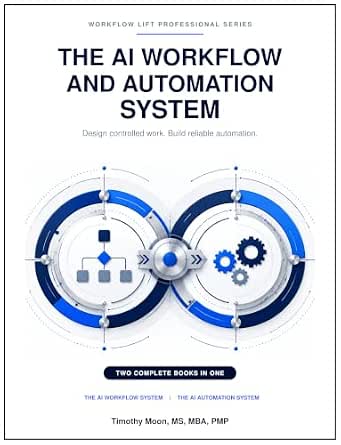 AI Workflow and Automation System – Workflow Lift Professional SeriesView on Amazon →
- 13
 n8n AI Automation: Build Smarter Workflows, Agents, and Intelligent Systems w…View on Amazon →
- 14
 Agentic Coding with Claude Code (5-in-1): A Practical Developer’s Handbook fo…View on Amazon →
Matching Automation to Team Needs
The guide’s central point is that automation choices can shape how quickly a team gets a workflow running and how much control it has later. No-code tools can lower the entry barrier, while code-first approaches may suit teams that need custom logic. The tradeoff is practical: a platform that is too complex for the staff maintaining it can stall, while a restrictive tool may not meet engineers’ requirements.
Its advice also draws attention to less visible costs. A workflow’s reliability depends on its app integrations, maintenance and error handling, not only its initial setup. Pricing can also change with usage, and moving sensitive information between services creates privacy and security questions. The article’s recommendation to assess these factors is guidance; the source supplies no comparative cost, uptime or compliance data for the named options.
Popular right now

Bose QuietComfort Ultra Earbuds (2nd Gen), Wireless Noise-Cancelling Earbuds, Black

Samsung 48-Inch S90F OLED 4K Smart TV (2025)

Ninja Crispi Microwave and Air Fryer with FusionCrisp, Silver, MW101
As an affiliate, we earn on qualifying purchases.
How the Guide Frames Its Picks
ThorstenMeyerAI.com says it selected resources based on practical applicability and technical accessibility. It says it prioritized instructions that could help readers create working workflows and sorted options by user profile, from nontechnical managers to engineers. The excerpt does not provide a scoring rubric, test methodology or evidence that the resources were trialed under the same conditions.
The comparison reflects a broader divide between visual automation services and developer-oriented frameworks. The source names Zapier, Make and n8n as relevant platforms, while warning that increasingly complex branching logic can be difficult to manage in no-code tools. It also notes that legacy software or niche services may lack the APIs needed for straightforward connections.
“The main tradeoff in this category is simplicity versus scalability.”
— ThorstenMeyerAI.com guide
Missing Names and Evaluation Data
The supplied source excerpt does not include the full list of 14 options, their individual evaluations or the evidence behind its rankings. It is not clear whether the guide tested products directly, relied on published materials, or used another review method. No publication date, price comparisons, measured productivity outcomes or product-by-product security assessments are provided.
The source also does not identify which specific integrations, APIs or compliance certifications were checked. Its general advice about GDPR, HIPAA, single sign-on and audit logs should not be read as confirmation that any named product meets those requirements. Readers need to verify current features and terms with vendors.
Checks Before Choosing a Platform
The immediate next step for readers is to compare the full guide’s 14 entries with their own workflows and technical capacity. Before adopting a tool, teams can test whether it supports required applications and APIs, estimate costs at higher usage, and confirm how it handles data, access controls and failures. These checks matter because integrations and pricing can change over time.
The source does not announce a follow-up, testing schedule or upcoming product milestone. Its recommendations should be treated as a starting point rather than a substitute for a pilot using representative workflows. A small trial can reveal whether staff can maintain the automation and whether its benefits justify the ongoing cost.
Key Questions
What is the guide about?
It compares 14 AI workflow automation resources for business users, developers and enterprise teams. The supplied excerpt does not name all 14.
Which option does the guide recommend for nontechnical users?
It names The No-Code AI Automation Playbook as its best overall choice for business users seeking to build workflows without coding. That is the publisher’s recommendation, not an independent test result provided here.
What does it recommend for developers?
The guide points to n8n AI Automation for developers seeking more control and Python integration. It also names resources on agentic coding and AI for DevOps.
What should teams check before adopting automation software?
Check required integrations and APIs, technical fit, projected costs, maintenance needs, error handling and data-protection terms. The source does not verify these details for every product.
Source: ThorstenMeyerAI.com