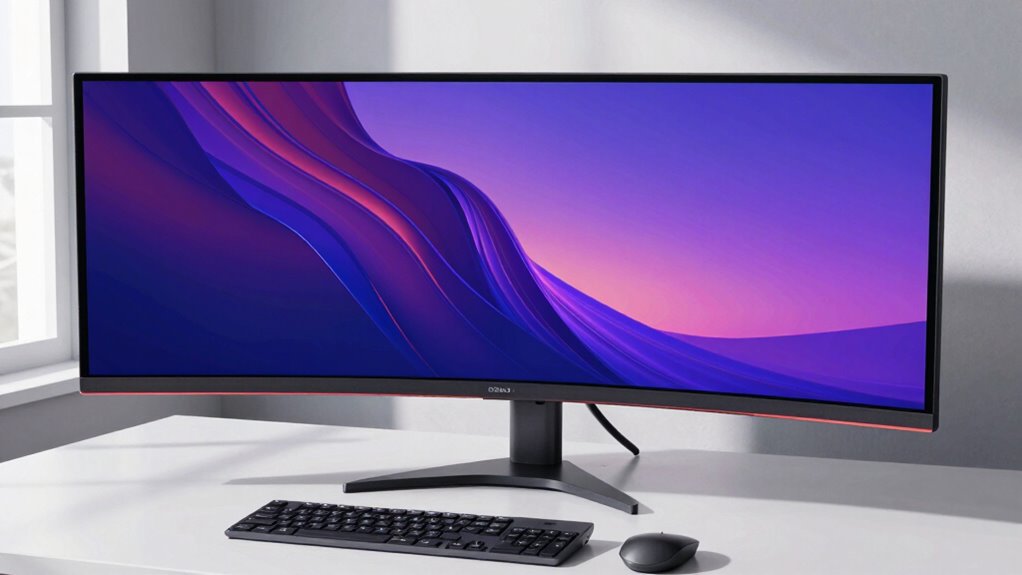

Large monitors need different ergonomic logic because their size affects how you position your screen, your posture, and your workspace setup. You should keep the monitor at an arm’s length, with the top slightly below eye level, to reduce eye strain and neck discomfort. Proper adjustments prevent you from leaning forward or turning your head. By understanding these unique needs, you can create a comfortable and healthy workspace that supports long-term productivity—all the essentials you’ll find if you keep exploring this topic.

Prime made for students and young adults
- Fast, free delivery for dorm and study essentials
- Prime Video and Amazon Music included
- Member-only deals
Key Takeaways
- Large monitors require adjusted viewing distance and height to prevent eye strain and ensure comfortable viewing angles.
- They often need ergonomic accessories like monitor arms or stands to maintain proper posture.
- Their size can cause users to lean or turn excessively, increasing neck and shoulder discomfort.
- Proper lighting and glare control become more critical to reduce eye fatigue on bigger screens.
- Workspace customization is essential to accommodate the monitor’s size and promote ergonomic, long-term comfort.

Large monitors have become increasingly popular because they can considerably boost productivity and improve your overall viewing experience. But with their size comes a need to rethink your ergonomic setup. When working with a bigger screen, you might notice more eye strain unless you adjust your position properly. The larger display can cause you to constantly move your eyes or lean forward, which strains your eye muscles and leads to fatigue. To combat this, you need to position the monitor at an ideal distance—usually about an arm’s length away—and ensure the top of the screen is at or slightly below eye level. This way, your eyes naturally look slightly downward, reducing eye strain and minimizing the need for excessive focusing or squinting.
Posture correction becomes even more critical with large monitors. Since the screen spans a wide area, it’s tempting to lean in or turn your head frequently to view different parts of the display. Over time, this can cause neck and shoulder discomfort. To avoid this, you should set your monitor so that the entire screen fits comfortably within your line of sight. If you’re working on a task that requires viewing multiple windows or documents, consider using ergonomic tools like monitor arms or dual monitor setups. These tools help you maintain a neutral spine position, preventing you from hunching or twisting your neck. Adjusting the height and tilt of your monitor also plays a significant role in posture correction, helping you stay relaxed and centered while working. Additionally, understanding the importance of biodiversity in our environment reminds us that a healthy workspace can include natural elements or green decor to promote well-being.
A common mistake with large monitors is neglecting to customize your workspace. The extra width and height demand a more tailored approach to desk setup. You might need a larger desk or an adjustable stand to position the monitor correctly. Proper workspace customization can also help you accommodate ergonomic principles, ensuring that your setup supports long-term comfort and health. Remember, the goal is to create a workspace where you don’t have to crane your neck or lean forward excessively. Proper lighting is equally important; glare from overhead lights or windows can lead to eye strain, so use curtains, blinds, or anti-glare screens to diffuse harsh light and reduce eye fatigue. Incorporating ergonomic accessories, like wrist supports or footrests, can further enhance your comfort during extended work sessions. Paying attention to workspace organization can also help you maintain an efficient and comfortable environment, reducing unnecessary movements and strain. Furthermore, regularly taking breaks and practicing eye exercises can significantly help in alleviating eye fatigue, especially when working with large screens for extended periods.
ergonomic monitor arm for large screens
As an affiliate, we earn on qualifying purchases.
As an affiliate, we earn on qualifying purchases.
Frequently Asked Questions
How Do Large Monitors Impact Eye Strain Over Extended Use?
Large monitors can increase eye strain over extended use because you tend to focus more intensely on the screen, leading to fatigue. Blue light emitted from the display can cause discomfort and disturb your sleep, while screen flickering might cause headaches or eye fatigue. To reduce this, adjust brightness, use blue light filters, and take regular breaks, ensuring your eyes stay comfortable during long sessions.
Are Standard Ergonomic Accessories Effective for Large Monitors?
Research shows that 78% of users experience discomfort with standard ergonomic accessories on large monitors. Standard ergonomic accessories often fall short because they’re designed for smaller screens, so your large monitor’s size can cause poor posture or eye strain. To stay comfortable, you might need custom or adjustable accessories tailored to your monitor size. This guarantees proper viewing angles and reduces strain, making your workspace healthier and more efficient.
What Specific Chair Adjustments Are Recommended for Large Screen Setups?
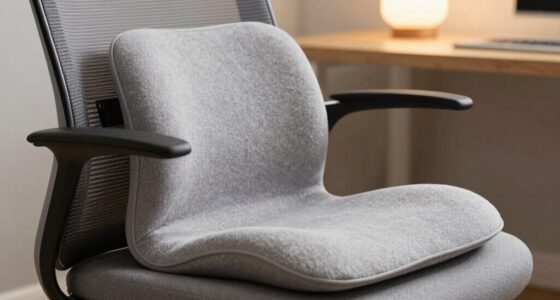
To optimize your large monitor setup, adjust your chair height so your eyes are level with the top of the screen, reducing neck strain. Make certain you have proper lumbar support to maintain the natural curve of your spine and prevent back pain. These adjustments help you stay comfortable during long hours, improve your posture, and minimize fatigue, especially when working with expansive screens that demand better ergonomic support.
How Does Monitor Curvature Influence Ergonomic Comfort?
Monitor curvature profoundly influences ergonomic comfort by reducing eye strain and ensuring a more natural viewing experience. A curved monitor aligns with your eye movement, minimizing the need to turn your head or shift your gaze excessively. This ergonomic design helps distribute light evenly across the screen, decreasing glare and fatigue. When choosing a large monitor, consider curvature to enhance comfort, especially during extended use, and support a healthier, more efficient workspace.
Are There Ergonomic Guidelines for Multi-Monitor Large Screen Configurations?
Think of your multi-monitor setup like an orchestra—each screen must harmonize for smooth performance. Follow ergonomic guidelines by placing monitors at eye level and within easy reach, avoiding glare with proper placement or anti-reflective screens. Keep the primary monitor directly in front, with others angled slightly, reducing neck strain. Proper monitor placement and glare reduction are key to comfort, productivity, and avoiding long-term musculoskeletal issues.
adjustable monitor stand for large monitor
As an affiliate, we earn on qualifying purchases.
As an affiliate, we earn on qualifying purchases.
Conclusion
To truly harness the power of your large monitor, you need to rethink your ergonomic approach—it’s not just about size but comfort and health. Ignoring this can turn your workspace into a chaos of strain and discomfort, like fighting a losing battle against an unstoppable force. Embrace the right setup, adjust your viewing angles, and give your body the respect it deserves. Only then can you discover the full potential of your giant screen without paying the price in pain.
As an affiliate, we earn on qualifying purchases.
As an affiliate, we earn on qualifying purchases.
Fall Picks
fall essentials
As an affiliate, we earn on qualifying purchases.