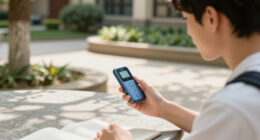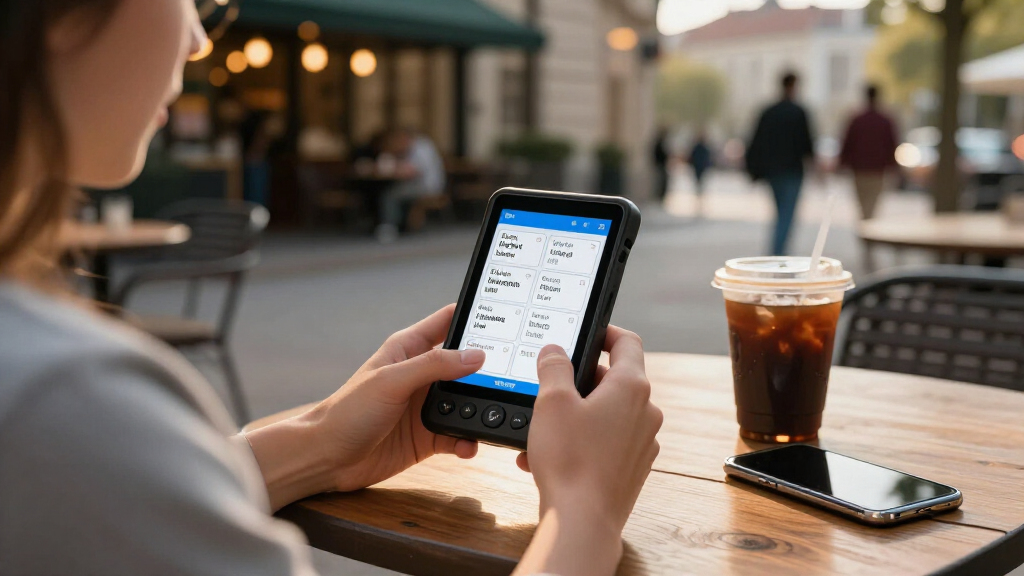

Language learning devices for students fall into a few distinct camps: scanning translator pens that help with reading homework, two-way voice translators that support conversation practice, and talking flash card systems for younger learners building vocabulary. My top pick is the VORMOR AI Translation and Reading Pen, because it blends offline scanning, text-to-speech, and word translation into a tool a student can actually carry through a school day. The Scanmarker Pro is the stronger choice for students who also want to digitize notes, while the MAYAPHILOS talking flash cards are the easiest entry point for elementary-age kids. The main tradeoff to understand before buying is learning depth versus convenience — translator pens speed up reading but can become a crutch, while dedicated practice tools build skills more slowly but more durably. Read on for the full breakdown and which device fits which type of student.

Prime made for students and young adults
- Fast, free delivery for dorm and study essentials
- Prime Video and Amazon Music included
- Member-only deals
Key Takeaways
- Translator pens dominated the lineup, but the models differ sharply on offline language support — pens with offline mode keep working during exams and travel where the phone-only models become useless.
- The VORMOR pen earned best overall because it balances scan accuracy, text-to-speech quality, and portability; the Scanmarker Pro trades portability for note digitization, making it better for high schoolers than middle schoolers.
- Two-way voice translators, including the Portable AI Voice Translator with Offline Mode, suit conversation practice and study abroad, but they teach speaking less effectively than they translate — students still need structured practice.
- The MAYAPHILOS flash card sets are the only options here designed for genuine beginners (ages 3–10), and choosing between the Spanish/English and English/French versions simply comes down to which language the child is studying.
- Accessibility support separated the niche picks: the Scan Translator Pen with Dyslexia Support and the hand2mind Phoneme Phone serve learning differences that mainstream translator pens ignore entirely.
| Franklin MES-2400 Digital Talking Dictionary and Multilingual Translator |  | Best Offline Dictionary for Beginners | Languages: English, Spanish, Italian, German, French | Translation: Offline | Features: Spoken dictionary and phrases; phonetic and typographical spell correction | VIEW LATEST PRICE | See Our Full Breakdown |
| VORMOR AI Translation and Reading Pen |  | Best Overall | Online voice translation: 150 languages | Online scan translation: 75 languages | Offline translation: 21 languages | VIEW LATEST PRICE | See Our Full Breakdown |
| Scanmarker Pro Reading and Translation Pen |  | Best for Reading Support | Scanner type: Text | Connection: Bluetooth | Resolution: 600 | VIEW LATEST PRICE | See Our Full Breakdown |
| hand2mind Phoneme Phone for Speech and Reading Practice |  | Best Budget Pick for Young Learners | Brand: hand2mind | Product type: Phoneme phone | Intended use: Speech practice, phonemic awareness, and literacy activities | VIEW LATEST PRICE | See Our Full Breakdown |
| Scan Translator and Reading Pen with Text-to-Speech, 142 Online and 10 Offline Languages |  | Best Value Pen | Online languages: 142 | Offline languages: 10 | Functions: Voice and scan translation, text extraction, scan-to-read, image translation, note-taking, voice recording | VIEW LATEST PRICE | See Our Full Breakdown |
| MAYAPHILOS Spanish and English Talking Flash Cards for Kids, 510 Words |  | Best for Young Spanish Learners | Brand: MAYAPHILOS | Languages: English and Spanish | Word Count: 510 words | VIEW LATEST PRICE | See Our Full Breakdown |
| MAYAPHILOS English and French Talking Flash Cards, 510 Sight Words |  | Best for French Immersion Basics | Brand: MAYAPHILOS | Words: 510 sight words | Themes: 31 | VIEW LATEST PRICE | See Our Full Breakdown |
| Scanmarker Pal Translation and Reading Pen |  | Best for Reading Assignments | Scanner Type: Text scanner | Connection: Bluetooth | Resolution: 600 dpi | VIEW LATEST PRICE | See Our Full Breakdown |
| Smart Wearable Translator with AI Language Practice |  | Best for English Speaking Practice | Supported Languages: 133 | Connectivity: Bluetooth 5.4 | Translation: Real-time voice translation | VIEW LATEST PRICE | See Our Full Breakdown |
| Portable AI Voice Translator with Offline Mode |  | Best for Travel-Ready Students | Languages: 165+ | Translation Modes: Online and offline | Study Features: Pronunciation feedback, vocabulary bank, spaced-repetition flashcards | VIEW LATEST PRICE | See Our Full Breakdown |
| AI Language Translator Device with Magnetic Attachment and Foldable Phone Stand |  | Best for Phone-Centered Learners | Translation modes: Conversation, photo, voice notes, simultaneous interpretation, voice and video call translation, offline mode | Connectivity: Bluetooth pairing with a phone | Offline support: Downloadable language packs | VIEW LATEST PRICE | See Our Full Breakdown |
| Multilingual Translation and Reading Pen with Text-to-Speech (S65pro) |  | Best Scan-to-Speech Pen for Reading Practice | Model: S65pro | Online translation languages: 142 | Offline translation languages: 10 | VIEW LATEST PRICE | See Our Full Breakdown |
| Scan Translator Pen with Text-to-Speech and Dyslexia Support |  | Best Compact Note-Taking Companion | Online translation languages: 142 | Offline translation languages: 10 | Text extraction languages: 52 | VIEW LATEST PRICE | See Our Full Breakdown |
More Details on Our Top Picks
Franklin MES-2400 Digital Talking Dictionary and Multilingual Translator
Most devices in this roundup lean on internet connectivity, but the Franklin MES-2400 stands apart by working entirely offline across five European languages. That makes it a dependable classroom companion where Wi-Fi is unreliable or phones aren’t allowed. Compared with the VORMOR AI Translation Pen, which needs offline language packs downloaded in advance, the Franklin works out of the box with zero setup. Its native human-voice pronunciation and phonetic spell correction are genuinely useful for beginners who misspell words phonetically. The tradeoff is scope: five languages is narrow next to the 142 online languages offered by the Scan Translator Pen. If a student is studying French, German, Spanish, or Italian specifically, this simplicity becomes a strength rather than a limitation.
Pros:- Works fully offline with no downloads or setup
- Pronounces words and phrases in a native human voice
- Phonetic spell correction forgives beginner misspellings
- Pocket-friendly size at 10.5 ounces
Cons:- Only five languages, far fewer than pen-style competitors
- Monochrome keypad interface feels dated next to touchscreen pens
Best for: Middle and high school students studying mainstream European languages who need a no-setup, phone-free classroom tool
Not ideal for: Students learning Asian or less common languages, since the five-language ceiling leaves them without coverage
- Languages:English, Spanish, Italian, German, French
- Translation:Offline
- Features:Spoken dictionary and phrases; phonetic and typographical spell correction
- Package dimensions:6.61 x 6.38 x 1.14 inches
- Item weight:10.5 ounces
- Model:MES-2400
Our verdict“A straightforward pick for European-language students who value reliability over language breadth.”
VORMOR AI Translation and Reading Pen
This pen earns the top spot because it covers the widest range of input modes — scanned text, spoken conversation, and camera-captured images — while staying genuinely pocketable. Where the Franklin MES-2400 handles five languages offline, the VORMOR reaches 150 languages online with 21 available offline, plus 40 offline image translations. That flexibility matters for students juggling textbook reading, homework translation, and conversation practice in one device. Compared with the Scanmarker Pro, the VORMOR’s onboard camera gives it an extra input channel the Scanmarker lacks. The 8-hour battery and 7-day standby comfortably cover a school week between charges. The main compromise: offline support requires pre-downloading language packs, so last-minute needs in an un-downloaded language leave you dependent on a connection.
Pros:- Translates scanned text, speech, and images in a single device
- 21 offline languages plus 40 offline image languages
- 8-hour battery with 7-day standby suits full school days
- Lightweight at 3.53 ounces with built-in IPS screen
Cons:- Offline language packs must be downloaded before use
- Small 2.3-inch screen limits reading long passages comfortably
Best for: Serious language students who read foreign texts, translate images, and practice conversation and want one device for all three
Not ideal for: Students who mostly work without internet and haven’t planned which languages they’ll need, since offline packs must be downloaded ahead of time
- Online voice translation:150 languages
- Online scan translation:75 languages
- Offline translation:21 languages
- Offline image translation:40 languages
- Screen:2.3-inch IPS
- Battery:820 mAh, up to 8 hours continuous use
- Standby time:Up to 7 days
- Item weight:3.53 ounces
Our verdict“The most versatile all-rounder for students who want scanning, speech, and camera translation in one pocket device.”
Scanmarker Pro Reading and Translation Pen
What separates the Scanmarker Pro is its focus on reading comprehension rather than pure translation. It reads scanned text aloud while highlighting each word on screen, pairing dictionary definitions with translations — a combination that helps students actually learn vocabulary instead of just converting it. The VORMOR pen translates more input types, but the Scanmarker Pro’s word-level highlighting and definitions make it the stronger literacy tool for learners processing dense textbooks. With over 100 online languages and earbud support, it works for both classroom study and quiet independent reading. The limitations are real, though: it can’t scan to other devices, so notes stay on the pen, and offline mode covers the same five languages as the Franklin MES-2400, which is thin for travelers or unplugged study sessions.
Pros:- Reads aloud while highlighting words for reading comprehension
- Over 100 online translation languages
- Built-in dictionary definitions plus note recording
- Earbud support for quiet classroom or library use
Cons:- Cannot scan or transfer text to other devices
- Offline mode limited to five European languages
Best for: Students who read long foreign-language texts and benefit from word-by-word audio, highlighting, and instant definitions
Not ideal for: Learners who want to export scanned notes to a laptop or phone, since this pen keeps everything on the device
- Scanner type:Text
- Connection:Bluetooth
- Resolution:600
- Media type:USB
- Item weight:0.23 kg
- Online translation languages:Over 100
- Offline translation languages:English, Spanish, French, German, Italian
- Warranty:1 year
Our verdict“The pick for students whose priority is understanding and retaining what they read, not just translating it.”
hand2mind Phoneme Phone for Speech and Reading Practice
The hand2mind Phoneme Phone plays a completely different role from every pen in this lineup: instead of translating, it amplifies a child’s own voice back to their ear, building phonemic awareness through self-listening. For elementary students or beginners working on pronunciation, that feedback loop is something no scanning device replicates — the VORMOR pen translates speech but doesn’t train a learner to hear their own articulation. At a fraction of the complexity (and cost) of any digital option, it’s a low-risk tool for classrooms and homes alike, doubling as a pretend-play prop. The honest tradeoff is scope: it translates nothing, has no screen, and does nothing for older students. Published specs also omit dimensions and materials, so buyers can’t verify durability or size before ordering — a real gap for budget-conscious shoppers.
Pros:- Amplifies the user’s own voice directly to their ear for self-correction
- Builds phonemic awareness and speech clarity
- No batteries, charging, or setup required
- Doubles as a literacy and pretend-play tool
Cons:- No translation or dictionary functionality at all
- Missing published dimensions and material details
- Limited appeal beyond early-learner age groups
Best for: Parents and elementary teachers helping young learners practice pronunciation and phonemic awareness without screens
Not ideal for: Middle school and older students who need actual translation or vocabulary lookup — this device does neither
- Brand:hand2mind
- Product type:Phoneme phone
- Intended use:Speech practice, phonemic awareness, and literacy activities
- Power source:None required
- Suitable for:Children and learners of any age
- Setting:Home or classroom
Our verdict“An inexpensive, screen-free pronunciation trainer for young learners — as long as no translation is expected.”
Scan Translator and Reading Pen with Text-to-Speech, 142 Online and 10 Offline Languages
For students who want near-flagship pen features at a lower tier, this Scan Translator Pen delivers scanning, speech translation, camera-based image translation, note-taking, and voice recording — the same core toolkit as the pricier VORMOR — with 142 online languages close behind VORMOR’s 150. Compared with the Scanmarker Pro, it adds voice recording and text extraction, making it a better study companion for building a personal vocabulary log. The compromises show up in the details: only 10 offline languages, and Japanese recognition is limited to horizontal text only, which frustrates learners working with vertical-printed Japanese books and manga. It also explicitly isn’t designed for blind users, unlike audio-focused alternatives such as the Franklin MES-2400, which speaks everything aloud by default. For horizontally printed material, though, the value case is strong.
Pros:- Scanning, speech, and image translation in one affordable device
- 142 online languages cover nearly any study language
- Built-in note-taking and voice recording for study sessions
- Bluetooth connectivity for flexible use
Cons:- Only 10 offline languages
- Cannot recognize vertical Japanese text
- Not suitable for blind users
Best for: Budget-minded students who want multi-mode translation and note-taking without paying premium-pen prices
Not ideal for: Japanese learners reading vertical text, and visually impaired students who need full audio output rather than screen-based highlighting
- Online languages:142
- Offline languages:10
- Functions:Voice and scan translation, text extraction, scan-to-read, image translation, note-taking, voice recording
- Connectivity:Bluetooth
- Japanese text recognition:Horizontal text only
- Suitability:Not suitable for blind users
Our verdict“A capable all-in-one study pen for horizontal-text learners who want features over polish.”
MAYAPHILOS Spanish and English Talking Flash Cards for Kids, 510 Words
Spanish remains the most practical second language for most students in the US, and this set builds vocabulary the low-tech way: insert a card, hear the word. With 510 words across animals, food, family, vehicles, letters, numbers, and shapes, it covers the exact vocabulary themes early Spanish curricula emphasize. Compared with the MAYAPHILOS English and French set, this version carries the same word count but its bilingual and English-only modes give parents more control over immersion level — a genuine advantage for households mixing fluent and non-fluent speakers. The screen-free design stands out against app-based tools like the Scanmarker Pal, which requires reading ability this age group lacks. The tradeoff is physical: cards and reader run small, and one-card-at-a-time insertion limits sustained independent play.
Pros:- 510 words across practical everyday themes
- Bilingual and English-only modes let parents adjust immersion level
- Screen-free audio learning with animal and vehicle sounds that keep young kids engaged
- Lightweight and portable for car rides or travel
Cons:- Cards and reader may be small for younger or less coordinated children
- One-card-at-a-time insertion limits long independent study sessions
Best for: Parents of preschool and early elementary students building foundational Spanish vocabulary without screens
Not ideal for: Students above early elementary age, who will outpace 510 basic words quickly and find card insertion tedious
- Brand:MAYAPHILOS
- Languages:English and Spanish
- Word Count:510 words
- Cards:255 double-sided cards
- Reader Modes:Bilingual and English-only
- Age Range:3 years and up
- Item Weight:16 ounces
Our verdict“A strong choice for families starting Spanish early who want structured, screen-free vocabulary practice at home.”
MAYAPHILOS English and French Talking Flash Cards, 510 Sight Words
For students headed into French immersion or dual-language programs, this set mirrors the Spanish version’s approach with 510 sight words organized into 31 themes. The theme count is the differentiator here — 31 categories means finer-grained vocabulary grouping than many competing card sets, which helps when a student needs to drill one topic before a unit test. Compared with the Spanish and English MAYAPHILOS set, the structure is nearly identical, so the choice between them comes down purely to target language. Both are far more appropriate for pre-readers than pen scanners like the VORMOR AI Translation Pen, which assumes fluent reading. The honest drawback: audio only plays through the included reader, so a lost or damaged reader renders the whole card library silent — there’s no fallback.
Pros:- 510 sight words organized across 31 distinct themes for targeted drilling
- Combines English and French learning in one set
- Reader voices words plus animal and vehicle sounds to hold attention
- Screen-free and portable for on-the-go practice
Cons:- Completely dependent on the included reader for audio
- Recommended age ceiling of 5 years means limited lifespan for older learners
Best for: Families preparing young children for French immersion programs or bilingual kindergarten
Not ideal for: Students without the reader nearby, since the cards produce no audio on their own
- Brand:MAYAPHILOS
- Words:510 sight words
- Themes:31
- Languages:English and French
- Recommended Age:0–5 years
- Educational Objectives:Cognitive skills, language skills
- Item Dimensions:4.5 x 3.5 x 0.04 inches
Our verdict“The pick for households committing to French early, provided you keep close tabs on that reader.”
Scanmarker Pal Translation and Reading Pen
This pen solves a problem flash cards can’t: making real printed text accessible. Middle school and high school students facing foreign-language reading assignments can scan a line and get instant translation plus read-aloud with on-screen word highlighting, which reinforces word recognition in a way passive listening doesn’t. With support for over 100 languages online, it beats most pen competitors on breadth, though offline translation stops at five languages — English, Spanish, French, German, and Italian — which covers most classroom needs but leaves travelers wanting. Compared with the Scanmarker Pro, this model leans toward text capture and reading support rather than conversational translation, and at under six grams it disappears into a pencil case. The export-to-digital-file feature turns scanned passages into study material for later review. It demands a Bluetooth-and-USB-capable computer, so it’s a desk tool more than a pocket one.
Pros:- Translates over 100 languages for broad coursework coverage
- Read-aloud with word highlighting builds reading fluency, not just comprehension
- Exports scanned text as digital files for building study notes
- Extremely light and compact at under six grams
Cons:- Offline translation limited to five languages
- Requires a Windows 10, macOS 10.15, or Linux system with Bluetooth and USB
Best for: Middle and high school students who need help decoding foreign-language reading homework and textbooks
Not ideal for: Learners who mostly need spoken conversation practice rather than text translation
- Scanner Type:Text scanner
- Connection:Bluetooth
- Resolution:600 dpi
- Languages:100+ online; 5 offline (English, Spanish, French, German, Italian)
- Item Weight:5.67 g
- System Requirements:Windows 10, macOS 10.15, or Linux with Bluetooth and USB
Our verdict“The right tool for students whose biggest hurdle is reading assigned foreign-language text, not speaking it.”
Smart Wearable Translator with AI Language Practice
Most translator devices stop at conversion; this one doubles as a tutor with actual feedback. The English speaking practice mode critiques pronunciation, vocabulary, and expression, and the scenario-based exercises mirror real situations students face — ordering food, introducing themselves, asking directions. That makes it a better fit for ESL students preparing for spoken English assessments than for, say, a Spanish student drilling conjugations. Its 133-language real-time voice translation covers travel and classroom conversation too, and Bluetooth 5.4 keeps audio clear during fast exchanges. Compared with the Portable AI Voice Translator with Offline Mode, this model trades offline language packs for a stronger tutoring engine — a reasonable swap if Wi-Fi is usually available, a costly one if it isn’t. The absence of published battery life specs is the kind of gap that matters for all-day school use.
Pros:- Real-time voice translation across 133 languages
- Gives specific feedback on pronunciation, vocabulary, and expression
- Scenario-based exercises simulate real conversational situations
- Bluetooth 5.4 delivers stable, clear wireless audio
Cons:- Tutoring features are English-only, limiting value for learners of other languages
- No published battery life or offline translation details
Best for: ESL and international students who need structured English speaking practice with corrective feedback
Not ideal for: Students learning languages other than English, since the tutoring features are English-centric
- Supported Languages:133
- Connectivity:Bluetooth 5.4
- Translation:Real-time voice translation
- Practice Features:Pronunciation, vocabulary, and expression feedback
- Exercises:Scenario-based
- Design:Wearable
Our verdict“Choose this over pure translators if structured English speaking improvement is the actual goal.”
Portable AI Voice Translator with Offline Mode
Where the Smart Wearable Translator bets on tutoring, this device bets on coverage and independence from Wi-Fi. With over 165 languages and downloadable offline packs, it works on planes, subways, and study-abroad trips where connectivity fails — the single most common failure point for translator gadgets. It hasn’t abandoned learning either: spaced-repetition flashcards and pronunciation feedback give it genuine study utility, closing most of the gap with tutoring-focused rivals. The hands-free wearable design suits students juggling luggage or a backpack between classes. The catch is preparation: offline packs must be downloaded before you need them, and though battery life is described as long, no actual runtime is specified — a real risk on multi-day trips without charging access. At 9.6 ounces, it’s also heftier than pen-style options like the Scanmarker Pal.
Pros:- Two-way translation in over 165 languages
- Offline mode works without Wi-Fi once language packs are downloaded
- Spaced-repetition flashcards and pronunciation feedback add real study value
- Hands-free wearable design suits travel and multitasking
Cons:- Offline language packs must be downloaded in advance
- No specific battery runtime given despite claims of long life
Best for: Study-abroad students and travelers who need reliable translation without dependable Wi-Fi
Not ideal for: Minimalists who want pocket-sized gear — at 9.6 ounces this is noticeably bulkier than a pen scanner
- Languages:165+
- Translation Modes:Online and offline
- Study Features:Pronunciation feedback, vocabulary bank, spaced-repetition flashcards
- Design:Wearable, hands-free
- Weight:9.6 ounces
- Package Dimensions:5.47 x 3.39 x 1.5 inches
Our verdict“The strongest pick for students crossing borders who can’t count on a signal and don’t want translation to stop when the Wi-Fi does.”
AI Language Translator Device with Magnetic Attachment and Foldable Phone Stand
Most translator gadgets try to replace your phone, but this one builds around it — and that changes who it suits. The magnetic puck pairs over Bluetooth and folds out into a phone stand, which is genuinely useful during video call translation or when you’re practicing pronunciation with the screen propped up. Compared with the Portable AI Voice Translator with Offline Mode, this option covers a wider workflow: photo translation, transcription, simultaneous interpretation, and even call translation, all handled through the free Celer Talk app. The tradeoff is dependency. Without your phone and the app running, the device does nothing, and offline support means downloading language packs ahead of time. Students who already live in their phone will find this a natural fit; anyone wanting a standalone tool should look at dedicated pens instead.
Pros:- Unusually wide mode selection, including voice/video call translation and simultaneous interpretation
- Offline packs let it keep working without a data connection
- Magnetic attachment doubles as a foldable phone stand
- App is free with no subscription
- Pronunciation practice tools built in for language learners
Cons:- Completely dependent on a paired phone and the Celer Talk app
- Offline mode only works after you download language packs in advance
Best for: Students who study through their phone and want call translation, transcription, and a built-in stand for video sessions
Not ideal for: Anyone who wants a self-contained translator — this is useless without a paired phone and the Celer Talk app
- Translation modes:Conversation, photo, voice notes, simultaneous interpretation, voice and video call translation, offline mode
- Connectivity:Bluetooth pairing with a phone
- Offline support:Downloadable language packs
- App:Celer Talk, free with no subscription
- Attachment:Magnetic phone attachment
- Additional design feature:Foldable phone stand
Our verdict“A smart pick for phone-first students who want call translation and a stand in one accessory, but skip it if you need a standalone device.”
Multilingual Translation and Reading Pen with Text-to-Speech (S65pro)
This is the pick when the goal is reading actual textbooks and worksheets, not just spoken phrases. The S65pro scans a line of text, reads it aloud, and highlights words on screen — a loop that helps with both comprehension and pronunciation in a way pure voice translators like the Portable AI Voice Translator with Offline Mode can’t match. Its 142 online languages give it classroom-level coverage, and text extraction makes it easy to pull vocabulary into notes for later study. The drawbacks are specific: offline mode drops to just 10 languages, it can’t handle vertical Japanese text, and the on-screen highlighting means it won’t work for blind users. For dyslexic students and learners working through printed material, though, this pen earns its place over flashier voice-first devices.
Pros:- Scans, reads aloud, and highlights words on screen for reading practice
- 142 online languages cover virtually any classroom language
- Handles scanned text, photo translation, and text extraction
- Lightweight at 2.56 ounces for everyday carry
Cons:- Offline translation covers only 10 languages, far fewer than online mode
- Cannot recognize vertical Japanese text
- Not suitable for blind users due to screen-based highlighting
Best for: Language learners and dyslexic students who study from printed books and want scanning, read-aloud, and highlighting in one pen
Not ideal for: Blind users and students studying vertical Japanese text — neither is supported
- Model:S65pro
- Online translation languages:142
- Offline translation languages:10
- Connectivity:Bluetooth
- Dimensions:5.13 x 2.48 x 0.47 inches
- Weight:2.56 ounces
- Battery:1 lithium polymer battery (included)
- Japanese text recognition:Horizontal text only
Our verdict“The strongest choice here for turning printed text into spoken language, provided you mostly work online and don’t need vertical Japanese support.”
Scan Translator Pen with Text-to-Speech and Dyslexia Support
Where the S65pro leans toward reading fluency, this pen stakes its claim on text extraction and portability. It pulls editable text from printed material in 52 languages, which makes it a genuine study tool for building vocabulary lists and notes rather than just translating in the moment. It covers the same 142 online and 10 offline languages as the S65pro, plus photo translation and Bluetooth headphone support — handy for quiet study in a library without bothering anyone. The tradeoffs mirror its rival: you need a connection to reach the full language list, vertical Japanese is off the table, and it’s not built for blind users. If your priority is capturing and reusing text rather than read-aloud drilling, this is the pen that fits.
Pros:- Text extraction in 52 languages turns printed pages into editable notes
- Same 142-language online coverage as larger scanning pens in a pocket-sized body
- Text-to-speech supports pronunciation and comprehension practice
- Bluetooth headphone connectivity allows silent, private study
Cons:- Full 142-language translation requires an online connection
- Cannot recognize vertical Japanese text
- Not suitable for blind users
Best for: Students who want a pocket-sized pen for capturing vocabulary into editable notes while studying or traveling
Not ideal for: Learners who frequently work offline — only 10 languages work without a connection
- Online translation languages:142
- Offline translation languages:10
- Text extraction languages:52
- Features:Voice translation, scanning translation, photo translation, text extraction, text-to-speech
- Connectivity:Bluetooth
- Japanese text recognition:Horizontal text only; vertical text not supported
- Portability:Lightweight and pocket-sized
Our verdict“The best pick for students whose real goal is building study notes from foreign text, as long as reliable internet access is part of the routine.”

How We Picked
I evaluated every device against the same student-focused criteria: learning value beyond translation (does it build vocabulary and comprehension, or just output answers?), offline capability (critical for classrooms, exams, and travel where Wi-Fi fails), ease of use for a school-age owner, and durability for backpack life. Devices that actively support reading practice — through repetition, audio feedback, or spaced word review — ranked above pure translation tools, because students who lean entirely on instant translation tend to stop absorbing the language.
Portability, battery life, and age-appropriateness shaped the ordering too. A pen that fits in a pencil case and survives being tossed in a bag beats a bulkier device with a marginally better screen. I also weighted versatility: the Scanmarker Pro ranks near the top because it doubles as a note-taking scanner, while single-purpose tools like the Phoneme Phone rank lower overall but win their specific niches. Price-to-usefulness was the final filter — a device must justify its footprint in a student’s daily routine, not just its spec sheet.
Factors to Consider When Choosing Language Learning Devices For Students
Before choosing a device, think about how your student actually studies. The biggest mistake buyers make is purchasing a translator when the student needs a teacher — these are related but different jobs.Translator Pen vs. Voice Translator vs. Flash Cards
These three device types solve different problems, and picking the wrong one is the most common error in this category. A scanning translator pen helps students get through assigned reading — novels, textbooks, articles — by translating words in context, which quietly builds vocabulary. A two-way voice translator helps with spoken conversation, which matters most for exchange students, immersion programs, or travel. Talking flash cards are for young beginners who need repetition and audio modeling before they can read at all. A middle schooler slogging through Spanish homework gains far more from a pen than a voice translator, while a college student preparing for a semester abroad is better served by the voice device. Match the tool to the actual weekly use case, not to the most impressive feature list.
Offline Mode Is Not a Luxury for Students
Many devices in this range advertise 100-plus languages, but read the fine print: most of those require an internet connection, and only a handful work offline. For a student, this distinction decides whether the device functions during exams, in basement classrooms, on buses, and while traveling abroad without a data plan. A pen with ten offline languages will outperform one with 142 online-only languages on the day it actually matters. Ask yourself where the student will use the device most. If the answer is anywhere with unreliable Wi-Fi, treat offline support as a hard requirement rather than a nice-to-have. Also check whether offline mode covers both scanning and voice, since some devices only keep one function available without a connection.
Watch for the Crutch Effect
Translation devices can quietly undermine the learning they’re meant to support. When a student can scan any sentence and receive an instant answer, the temptation is to stop attempting comprehension first — educators call this the crutch effect, and it’s a real risk with fast, frictionless pens. Look for features that counteract it: text-to-speech that reinforces pronunciation, word-by-word translation modes that force engagement with grammar, and spaced review of scanned vocabulary. Devices like the dyslexia-support pen and the Phoneme Phone are built around skill-building rather than answer-delivery, which is why they earn their places despite narrower function. If you buy a pure translator, pair it with a rule — say, attempting each sentence before scanning — or the device becomes a shortcut rather than a study aid.
Age Appropriateness and Durability
A device that a ten-year-old can’t navigate independently will end up in a drawer, and one that shatters on the first drop will end up in the trash. Younger students need physical, tactile tools — flash cards and simple pens with large buttons and no menus to dig through. Teenagers can handle app pairing, settings menus, and smaller form factors, which opens up the Scanmarker line and the wearable options. Check build quality signals like whether the scanning tip is exposed or recessed, whether the device charges by common USB-C or a proprietary cable, and whether a case is included. Battery life matters more for students than for casual users: a pen that dies mid-school-day is one more thing to forget to charge. Aim for a device rated for a full day of typical use on a single charge.
When to Pay More — and When Not To
The premium options in this lineup justify their cost through dual functionality and offline depth, not through marginal translation quality. A pen that also digitizes notes into editable text, like the Scanmarker Pro, pays for itself in study-time savings across multiple subjects. But paying more for a higher language count is usually wasted money — almost no student needs 140 languages, and the quality per language often drops as the count rises. Similarly, avoid paying extra for features tied to subscription services unless you’re prepared for recurring costs after the first year. The budget picks in this guide, including the generic scan translator pens and the flash card sets, deliver the core learning function without the premium, and for elementary learners they’re often the smarter buy outright.
Frequently Asked Questions
Can a student use a translator pen during exams?
It depends entirely on the school and the exam, and this is where device choice matters. Most standardized language exams ban any device with translation capability, but some schools permit scanning pens — particularly those marketed for accessibility and dyslexia support — as approved accommodations. Devices with an explicit dyslexia support designation have a better chance of approval because they’re framed as reading aids rather than translation aids. If exam use is a priority, contact the school’s accommodations office before buying and ask which device categories are permitted. Offline capability also helps here, since exam halls frequently have no connectivity. Never assume a device is allowed just because it looks like a reading tool.
Are translator pens actually good for learning, or do they just do the work for you?
Both outcomes are possible, and the difference comes down to how the student uses the device. Research on translation tools consistently shows that students who attempt comprehension before scanning retain far more than those who scan first. The best pens support this habit by offering word-by-word translation modes, pronunciation playback, and vocabulary history that can be reviewed later. A pen that logs every scanned word turns incidental lookups into a study list, which is genuine learning value. The risk is real, though — a student who scans every sentence never develops reading stamina. Set usage expectations early, especially for younger students, and treat the pen as a dictionary replacement rather than a comprehension replacement.
What’s the difference between the cheap scan translator pens and the brand-name ones?
The main differences are scan accuracy, offline language count, software support, and build quality. Brand-name pens from VORMOR and Scanmarker typically offer better optical recognition on curved pages, smaller fonts, and low-contrast text, and their manufacturers push firmware updates that fix recognition bugs over time. Generic pens often match the on-paper specs but stumble on handwriting, colored backgrounds, and unusual typefaces — and their software tends to be abandoned after release. That said, for straightforward printed textbooks, a generic pen can perform nearly as well at a fraction of the cost. If the student mainly reads clean printed material, the budget pen is defensible. If they’ll scan novels, worksheets, and screens, the brand-name options earn their premium.
Are talking flash cards worth it for older students, or are they just for little kids?
Talking flash card systems like the MAYAPHILOS sets are genuinely designed for the 3–10 age range, and their value drops off sharply after that. The vocabulary — sight words, animals, colors, household objects — aligns with beginner curricula, so an older beginner could theoretically use them for a first unit of study. But a middle schooler or teen will find the format patronizing, and the 510-word ceiling is reached quickly. For older beginners, a scanning pen with vocabulary logging or a voice translator with practice modes makes more sense. The flash cards earn their place in this roundup for families starting a second language early, where audio modeling from a native-quality speaker is something parents usually can’t provide themselves. Choose the Spanish/English or English/French set based purely on the target language, since the hardware is identical.
Do students need a dedicated translator device, or is a phone app enough?
A phone app can translate anything a dedicated device can, so the question is really about friction and context. Phones are banned or restricted in many classrooms, which is exactly where a student needs translation help most — a pen-shaped device often clears school policy where a phone never will. Dedicated devices also remove the distraction problem: a student who picks up their phone to translate a word is three taps from social media. On the other hand, if the student is disciplined and their school allows phones, a free app plus a good dictionary may be all they need, and the money is better spent on tutoring or books. Dedicated devices make the most sense for younger students, exam-restricted environments, and travel without reliable data. Everyone else should try the phone route first before paying for hardware.
Conclusion
For most students, the VORMOR AI Translation and Reading Pen is my best overall pick — it handles reading support, vocabulary building, and portability in one backpack-ready tool. If budget leads the decision, the generic Scan Translator and Reading Pen with offline languages covers the core scanning function at the entry end of the market, and the MAYAPHILOS flash card sets are the smartest value for young beginners by a wide margin. On the premium side, the Scanmarker Pro justifies its higher tier by doubling as a note-digitizing scanner across every subject, not just language class.
For beginners, choose by age: talking flash cards for elementary learners, a simple pen for middle schoolers starting a first language. For specific needs, the Portable AI Voice Translator with Offline Mode is the pick for conversation practice and study abroad, the dyslexia-support scan pen and hand2mind Phoneme Phone serve readers with learning differences, and the wearable translator suits students who want hands-free practice throughout the day. Whatever you choose, remember that these devices accelerate learning — they don’t replace it. The student who uses the tool to attempt, then check, will outperform the one who uses it to skip the attempt entirely.
Evergreen bestsellers Picks
bestsellers
As an affiliate, we earn on qualifying purchases.