
Having strong Wi-Fi coverage in your smart home doesn’t automatically mean your devices will perform reliably. Coverage shows how far the signal reaches, but reliability depends on consistent, interference-free signals. Walls, electronics, and neighboring networks can weaken or disrupt your connection, leading to slow responses or disconnections. To maximize your smart home’s performance, it’s important to understand the difference and consider strategies that improve both coverage and stability. Learn more to optimize your network effectively.
Key Takeaways
- Coverage indicates Wi-Fi reach, while reliability depends on consistent, interference-free signals.
- Strong coverage doesn’t ensure stable connections; interference can cause frequent drops.
- Mesh networks improve coverage but also enhance reliability by reducing dead zones.
- Electronic devices and overlapping Wi-Fi channels can weaken signals, affecting device performance.
- Optimizing both coverage and interference management is essential for dependable smart home connectivity.

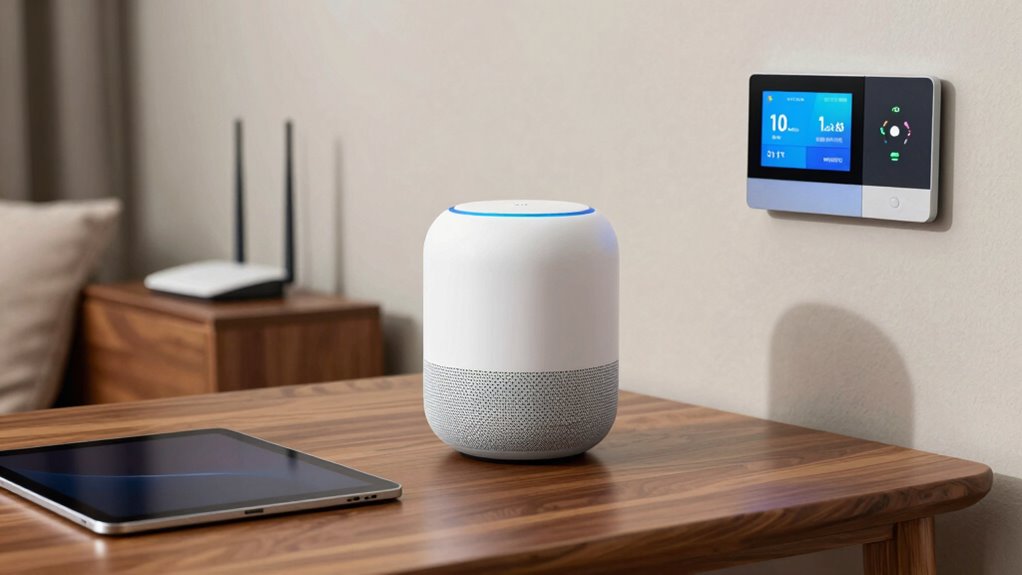
Smart home devices rely heavily on Wi-Fi to function seamlessly, allowing you to control everything from lights to security cameras with just a tap or voice command. But having a strong Wi-Fi signal isn’t enough. You need dependable coverage that guarantees your devices work consistently, without lag or disconnection. Many people assume that simply placing their router in a central spot guarantees good coverage, but this isn’t always the case. Wi-Fi signals can be disrupted by walls, appliances, and other electronic devices, creating dead zones or weak spots even in areas close to your router. This is where understanding the difference between coverage and reliability becomes essential.
Strong Wi-Fi signals alone aren’t enough; reliable coverage and minimal interference are key for your smart home devices.
One effective way to improve Wi-Fi reliability in a smart home is by deploying mesh networks. Unlike traditional routers that rely on a single device, mesh systems use multiple nodes that work together, creating a unified network that blankets your entire home. With mesh networks, your devices connect to the nearest node automatically, minimizing dead spots and reducing the chances of signal drops. This setup ensures that your smart home devices stay connected, even if you move from one room to another. Mesh networks not only extend coverage but also improve stability, so you don’t experience frustrating delays or disconnections when controlling your smart devices.
However, even with a mesh network, signal interference can still pose challenges. Wireless signals operate on specific frequencies, and when these frequencies overlap with other electronic devices—like cordless phones, microwaves, or neighboring Wi-Fi networks—interference can occur. This interference weakens the signal, leading to slower response times or dropped connections for your smart home devices. To counteract this, you can change your Wi-Fi channel or upgrade to dual-band routers that operate on less congested frequencies. Choosing a mesh system that supports multiple channels can also help you avoid interference and maintain a strong, dependable connection across your home.
It’s important to recognize that having broad coverage doesn’t automatically mean your smart home is dependable. Coverage describes how well your Wi-Fi reaches different parts of your house, but reliability depends on consistent, interference-free signals. By investing in a mesh network and paying attention to potential sources of interference, you can guarantee that your smart devices perform as intended. This means fewer hiccups, faster response times, and a smoother smart home experience overall. Remember, a well-designed Wi-Fi setup tailored to your home’s layout and potential interference sources is key to transforming your smart home from just covered to truly dependable. Additionally, understanding Wi-Fi coverage factors can help you optimize your network further for maximum reliability.
Frequently Asked Questions
How Do I Troubleshoot Device Connectivity Issues in My Smart Home?
To troubleshoot your smart home device connectivity issues, start by checking if your device firmware is up to date, as updates often fix bugs. Next, reduce interference by relocating your router or eliminating obstructions. You can also try interference mitigation techniques, like changing Wi‑Fi channels. Restart your device and router regularly, and make certain your Wi‑Fi signal is strong enough in the device’s location for consistent connectivity.
What Are the Best Wi-Fi Routers for Smart Home Device Compatibility?
If you want seamless smart device compatibility, you need the right Wi-Fi router. The best options often feature mesh networks, which expand coverage and reduce dead spots. These routers guarantee your smart home devices stay connected reliably, even as your setup grows. Don’t settle for basic routers—invest in a mesh system that adapts to your needs, keeping your smart home functioning smoothly and effortlessly.
Can Adding Wi-Fi Extenders Improve Smart Device Reliability?
Adding Wi-Fi extenders can improve your smart device reliability by boosting signal strength in weak spots. Wi-Fi extenders expand coverage, making sure your devices stay connected consistently. However, they don’t always guarantee better reliability if the extender isn’t properly placed or if your network experiences interference. To get the best results, choose extenders compatible with your router and position them strategically for peak performance.
How Does Network Congestion Affect Smart Home Device Performance?
You might think your smart devices run smoothly, but network congestion can throw a wrench in the works. When too many gadgets compete for bandwidth, performance slows or drops altogether. Ironically, adding more devices or even extenders worsens the problem if bandwidth management isn’t in place. To keep everything running seamlessly, you need to prioritize traffic and limit unnecessary connections, ensuring your smart home stays reliable instead of just covered.
Are Wired Connections Better Than Wi-Fi for Smart Home Devices?
Wired connections are generally better for smart home devices because they offer more stability and faster data transfer. With wired advantages, you’ll experience less interference and consistent performance. Plus, they enhance security considerations by reducing vulnerabilities associated with Wi-Fi. While wireless setups are convenient, wired connections guarantee your devices work reliably, especially for critical functions like security cameras or smart locks. So, for better reliability and security, go wired whenever possible.
Conclusion
Remember, having Wi-Fi coverage is like owning a map, but reliability is the trusted guide leading you through a storm. Don’t assume your smart home devices will always work perfectly just because the signal reaches them. Think of your network as a delicate web—beautiful yet fragile. To truly enjoy a seamless smart home experience, prioritize reliable connection over mere coverage. After all, a house without trust in its foundation is just walls waiting to fall.