📊 Full opportunity report: How to Reduce Heat and Noise in a High-Power AI Workstation on ThorstenMeyerAI.com — validation score, market gap, and execution plan.

Prime made for students and young adults
- Fast, free delivery for dorm and study essentials
- Prime Video and Amazon Music included
- Member-only deals
TL;DR
High-power AI workstations generate significant heat and noise due to sustained GPU loads. Key measures include undervolting GPUs, optimizing airflow, and managing power draw. These steps help improve cooling and reduce noise levels.
High-power AI workstations produce excessive heat and noise due to continuous GPU loads, often exceeding typical gaming PC temperatures. Recent expert guidance emphasizes that targeted cooling and power management strategies can significantly lower both heat output and noise levels, improving workspace comfort and hardware longevity.
Unlike gaming PCs, AI workstations handle sustained workloads, keeping GPUs at near-constant high load, which leads to continuous heat generation and fan activity. The primary sources of heat are the GPU, CPU, power supply, and VRMs, with the GPU being the dominant contributor, often accounting for over 70% of thermal output. Fans are the main noise source, but coil whine, pump noise, and vibrations also contribute.
One of the most effective measures is undervolting the GPU and capping its power draw, which can reduce heat and noise without sacrificing performance in inference tasks. Proper airflow management, including case ventilation and strategic fan placement, further enhances cooling. Upgrading to high-quality coolers and ensuring adequate case ventilation can prevent recirculation of hot air, lowering overall component temperatures and fan speeds.
Additional tips include selecting a high-quality power supply to reduce VRM heating, and using vibration-dampening mounts to minimize case panel vibrations. These combined approaches can transform a noisy, hot AI workstation into a quieter, more efficient setup.
An AI workstation isn’t a gaming PC —
and that’s why it runs hot.
Local inference is a sustained load: the GPU sits near full power for hours with no loading screens, so the heat never dissipates and the fans never get a break. Here’s where the heat comes from — and the five levers that reduce it.
Why Effective Cooling Matters for AI Workstations
Reducing heat and noise in AI workstations extends hardware lifespan, improves operational stability, and creates a more comfortable working environment. Lower temperatures decrease thermal throttling, allowing hardware to operate at optimal performance levels, while quieter operation reduces noise pollution in office or home settings. These improvements are especially critical as AI workloads become more demanding and power-intensive.
Popular right now
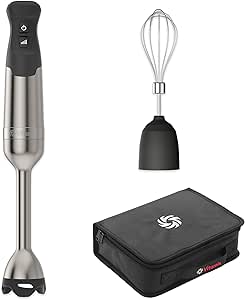
Vitamix 5-Speed Immersion Blender 3-Piece Bundle with Whisk and Storage Case

Dyson Car+Boat Cordless Handheld Vacuum

Dreame L50 Ultra Robot Vacuum and Mop Combo
As an affiliate, we earn on qualifying purchases.
Understanding the Unique Cooling Challenges of AI Workstations
Unlike gaming PCs, AI workstations run continuous, high-load GPU tasks such as training or inference, leading to sustained thermal output. Modern GPUs like the RTX 5090 can draw over 575W, generating heat that must be dissipated efficiently. Standard cooling solutions designed for gaming may be insufficient, as they are optimized for bursty loads rather than continuous operation. Proper power management, airflow, and component choice are essential for effective cooling in these environments.
“Undervolting GPUs and optimizing airflow are among the most cost-effective ways to reduce heat and noise in high-power AI workstations.”
— Thorsten Meyer, AI hardware expert
Remaining Questions on Cooling Optimization for AI Workstations
While undervolting and airflow improvements are proven effective, the optimal configurations for different GPU models, case designs, and workloads are still being tested. The impact of liquid cooling versus high-end air cooling in reducing noise and maintaining thermal performance requires further comparison. Additionally, the long-term effects of aggressive power capping on hardware durability are not fully documented.
Next Steps for Improving AI Workstation Cooling
Future developments include more sophisticated power management tools, custom cooling solutions tailored for AI workloads, and real-time thermal monitoring systems. Hardware manufacturers may release optimized cooling components specifically designed for sustained high loads. Users should stay updated on new cooling technologies and experiment with tailored configurations to achieve the best balance between performance, noise, and temperature.
Key Questions
Can undervolting GPUs affect inference performance?
In most memory-bound inference workloads, undervolting has minimal impact on performance while significantly reducing heat and noise. However, in compute-intensive tasks, users should test configurations to ensure stability.
What case features help improve cooling in AI workstations?
High airflow design, multiple intake and exhaust fans, dust filters, and vibration dampening features contribute to better cooling and quieter operation.
Is liquid cooling necessary for reducing heat in AI workstations?
Not necessarily. High-quality air coolers and optimized airflow can suffice for many setups, but liquid cooling can provide superior thermal performance and noise reduction in high-end configurations.
How often should I monitor temperatures in my AI workstation?
Regular monitoring during workloads helps identify thermal bottlenecks and optimize cooling settings. Tools like HWMonitor, MSI Afterburner, or manufacturer utilities are recommended.
Source: ThorstenMeyerAI.com