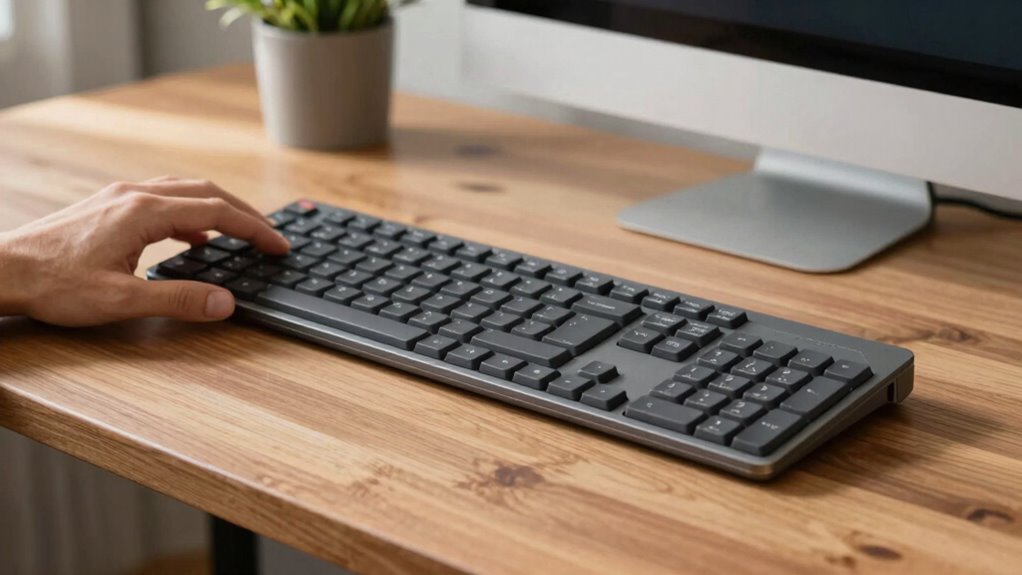

Split keyboards are great if you want to improve ergonomic comfort and reduce strain on your wrists, shoulders, and neck. They work well for users willing to adjust to a different typing style and experiment with setup to maximize health benefits. However, if you’re used to traditional keyboards, you might find the shift awkward, frustrating, or uncomfortable at first. Curious to discover more about who benefits most and what barriers exist? Keep exploring to find out more.

Prime made for students and young adults
- Fast, free delivery for dorm and study essentials
- Prime Video and Amazon Music included
- Member-only deals
Key Takeaways
- Help users seeking ergonomic relief by reducing wrist, shoulder, and neck strain during long typing sessions.
- Assist those willing to adapt to new layouts who prioritize long-term health benefits.
- Annoy users uncomfortable with the initial learning curve or who prefer traditional, all-in-one keyboards.
- Frustrate individuals with incompatible workstation setups or who require minimal setup effort.
- Displease quick or highly precise typists who may find the adjustment period disruptive to productivity.

Have you ever wondered if your keyboard could be more comfortable and ergonomic? If so, split keyboards might be worth considering. These devices are designed to improve ergonomic benefits by allowing you to customize your typing posture. Unlike traditional keyboards, which force your hands and wrists into a fixed position, split keyboards divide the keys into two halves, often adjustable to suit your natural arm and hand alignment. This setup helps reduce strain on your wrists, shoulders, and neck, making it easier to maintain a healthy typing posture during long hours at your desk. By encouraging a more natural hand position, split keyboards can prevent repetitive strain injuries and enhance overall comfort. If you spend hours typing daily, this ergonomic advantage could significantly impact your well-being.
However, adopting a split keyboard isn’t always seamless. It can initially feel awkward or unfamiliar, especially if you’re used to a conventional layout. Some users find that the split design disrupts their muscle memory and typing rhythm, leading to a frustrating adjustment period. The learning curve can be steep, and for those who need to type quickly or with precision, this *transition* might temporarily hinder productivity. Additionally, the design of split keyboards often requires you to reposition your hands and arms more consciously, which can be uncomfortable or tiring at first. If you prefer a traditional, all-in-one keyboard, the split version might seem more like a hassle than a helpful tool. This can lead to annoyance, especially if the ergonomic benefits don’t outweigh the inconvenience of retraining your muscle memory.
Another factor *to consider* is the compatibility and versatility of split keyboards. They often come with various adjustable features, but not all are compatible with every workstation setup. You might need additional accessories or desk modifications to make them fit comfortably, which could be inconvenient or costly. *Furthermore*, the keys on split keyboards can sometimes feel different or less responsive, especially if you’re accustomed to a specific keyboard type. This inconsistency can cause frustration and make you question whether the ergonomic benefits are worth the adjustment time. In the end, split keyboards are designed for those who prioritize long-term health benefits and are willing to adapt, but they may not be suitable for everyone. If you’re open to experimenting with your setup and understanding that initial discomfort can lead to better posture and reduced strain, a split keyboard could be a valuable investment. Otherwise, the learning curve and potential inconvenience might outweigh the ergonomic advantages, leaving you irritated rather than improved.
Additionally, understanding how high refresh rates influence your overall typing experience could help you determine if a more responsive keyboard might be beneficial.
As an affiliate, we earn on qualifying purchases.
Frequently Asked Questions
Are Split Keyboards Suitable for Gaming Performance?
Split keyboards can be suitable for gaming if you prioritize ergonomic benefits and improved typing accuracy. They help reduce wrist strain and promote a natural hand position, which can enhance your comfort during long gaming sessions. However, some gamers might find the layout less intuitive or struggle with quick key access. If you adapt well to the split design, it can boost your gaming performance by keeping you comfortable and focused.
How Do Split Keyboards Impact Long-Term Ergonomics?
Split keyboards improve your long-term ergonomics by promoting better wrist and shoulder alignment, which enhances overall comfort over time. You’ll notice fewer strain issues and less fatigue during extended typing sessions. Their ergonomic benefits support your posture and reduce the risk of repetitive strain injuries, making long-term comfort achievable. By customizing the split angle, you guarantee a natural position, helping you stay comfortable and healthy for years to come.
Can Split Keyboards Be Customized for Specific Needs?
Ever wonder if your split keyboard can be tailored to your needs? Absolutely! You can customize split keyboards for specific ergonomic adjustments and personalized layouts, ensuring maximum comfort and efficiency. Adjust key positions, split angles, or even add custom keycaps to suit your typing style. This flexibility helps prevent strain and boosts productivity, making your typing experience truly unique. Why settle for standard when you can create a setup that works perfectly for you?
Do Split Keyboards Require Special Desk Setups?
Yes, split keyboards may require special desk setups. You’ll need a desk that’s compatible with the keyboard’s size and shape, ensuring enough space for comfortable positioning. You might also need desk modifications like a larger surface or adjustable stands to optimize ergonomics. Make sure your workspace can accommodate the split design to prevent strain and improve your typing comfort. This setup helps you work more efficiently and comfortably.
What Are the Common Challenges When Transitioning to Split Keyboards?
Ever wondered if you’ll struggle with adaptation difficulties when switching to a split keyboard? You might face challenges like adjusting to the new ergonomic benefits and finding the right hand positioning. The main hurdles include relearning your typing rhythm and overcoming initial discomfort. But with patience, you can enjoy improved ergonomics and reduced strain, making the progression worthwhile despite the initial adaptation difficulties.
adjustable split keyboard for ergonomics
As an affiliate, we earn on qualifying purchases.
As an affiliate, we earn on qualifying purchases.
Conclusion
Split keyboards can be a game-changer for some, easing strain and boosting comfort. But they might frustrate others, especially if you’re used to traditional layouts. Remember, “A chain is only as strong as its weakest link,” so find what works best for you. Whether they help or annoy, understanding your needs is key. Ultimately, the right keyboard is the one that makes your work easier, not harder.
mechanical split keyboard for long typing
As an affiliate, we earn on qualifying purchases.
As an affiliate, we earn on qualifying purchases.
As an affiliate, we earn on qualifying purchases.
Columbus Day / Indigenous Peoples' Day Picks
long weekend sales
As an affiliate, we earn on qualifying purchases.