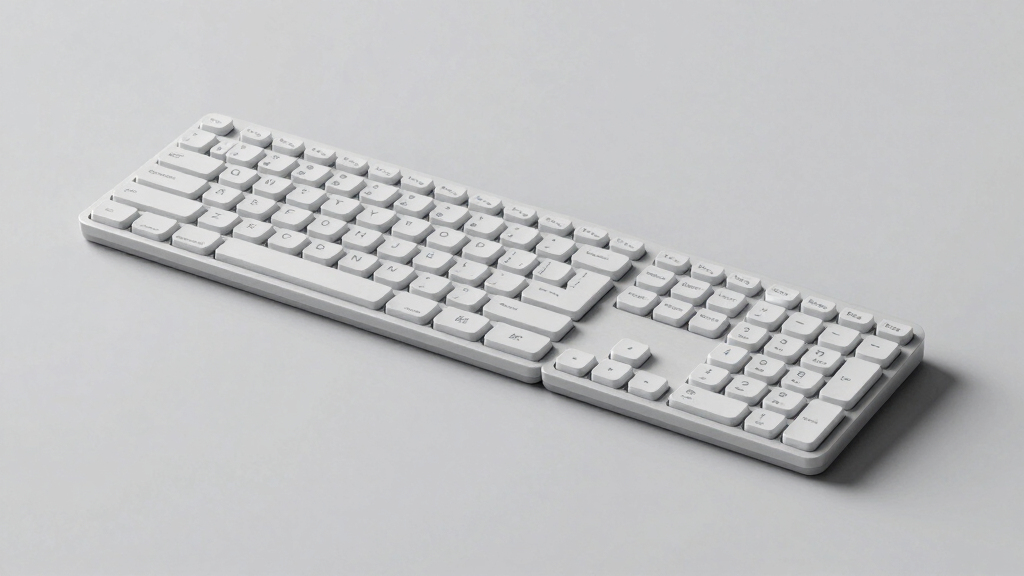
Searching for the best ergonomic split keyboard in 2026? The top pick for overall comfort and versatility is the Kinesis Freestyle Edge RGB Plus, thanks to its modular design and programmable features. The Logitech Ergo K860 stands out for its user-friendly wireless setup, making it ideal for ergonomic beginners. Meanwhile, the Cloud Nine C989M offers advanced mechanical switches and RGB lighting, appealing to power users seeking customization. Buyers often face tradeoffs between adjustability, build quality, and price—this guide breaks down the key differences. Keep reading for a detailed comparison to help you find your perfect fit.

Prime made for students and young adults
- Fast, free delivery for dorm and study essentials
- Prime Video and Amazon Music included
- Member-only deals
Key Takeaways
- The most adjustable models, like the Kinesis Freestyle Edge, excel in custom fit but often come at a higher price.
- Wireless options such as the Logitech Ergo K860 provide convenience but sometimes compromise on programmability or switch variety.
- Mechanical switches in models like Cloud Nine or RK Royal Kludge enhance typing feel but may increase noise and cost.
- Split design alone isn’t enough; features like tenting, programmability, and palm support significantly impact ergonomic benefits.
- Budget options like the Arteck provide decent comfort but lack advanced features, making them better for casual use.


| ergonomic split keyboard | Connectivity Technology | Number of Keys |
|---|---|---|
| Arteck Split Ergonomic Wireles | — | — |
| RK Royal Kludge S70 Ergonomic | — | — |
| Cloud Nine C989M Ergonomic Mec | USB | 104 |
| Kinesis Freestyle Edge RGB Plu | USB-A | 174 |
| Incase Sculpt Ergonomic Keyboa | — | — |
| KINESIS Advantage360 Professio | Bluetooth | 108 |
| Logitech Ergo K860 Wireless Er | — | — |
| Kinesis Freestyle2 USB-A Ergon | USB | 94 |
More Details on Our Top Picks
Arteck Split Ergonomic Wireless Keyboard with Palm Rest
This keyboard stands out for its straightforward design that prioritizes comfort without additional complexity. Its split layout naturally aligns wrists and forearms, reducing strain, while the cushioned palm rest enhances long typing sessions. Compared with the Kinesis Freestyle Edge, it offers a less feature-rich but more user-friendly experience, especially for those who want a no-fuss ergonomic solution. The main tradeoff is that it relies on a USB receiver and only supports Windows, limiting versatility for multi-device users. Its long battery life of up to 6 months makes it ideal for daily use without frequent charging.
Pros:- Ergonomic split design reduces wrist and forearm tension
- Comfortable cushioned palm rest enhances prolonged use
- Long-lasting battery life of up to 6 months
Cons:- Requires a USB receiver, which can be lost or forgotten
- Limited compatibility to Windows PCs only
Best for: Users seeking a simple, reliable ergonomic keyboard with minimal setup and long battery life, especially Windows users who prefer wireless convenience.
Not ideal for: Mac users or those needing multi-device connectivity without a USB receiver, as it lacks Bluetooth and multi-platform support.
- Connectivity:2.4G USB wireless
- Battery Life:6 months
- Included Accessories:USB-C cable, nano USB receiver, welcome guide
- Warranty:24 months
Our verdict“This pick is perfect for Windows users prioritizing simplicity and comfort in a wireless ergonomic keyboard.”
RK Royal Kludge S70 Ergonomic Split Mechanical Keyboard with Creamy Linear Switches
Compared to the Cloud Nine C989M, the RK Royal Kludge S70 excels in adaptability with multiple connectivity options—Bluetooth, 2.4GHz, and USB-C—and a compact 75% layout that balances functionality with space-saving design. Its hot-swappable switches and macro keys cater to gamers and programmers who want personalized control, but the complexity of setup and customization software may overwhelm users new to mechanical keyboards. Its battery life of around two weeks with backlighting active is decent, but heavier users might prefer longer endurance. This keyboard makes the most sense for tech-savvy users who want a highly adaptable, portable solution for various devices.
Pros:- Multiple wireless connectivity options for versatile device pairing
- Hot-swappable switches enable easy customization without soldering
- Compact 75% layout saves desk space while maintaining essential keys
Cons:- Setup and software configuration can be complex for novices
- Limited to a 75% layout, which may lack some dedicated keys
Best for: Tech enthusiasts and power users who seek a customizable, multi-device ergonomic keyboard for gaming or intensive typing tasks.
Not ideal for: Beginners or users preferring plug-and-play simplicity, given the multiple connectivity options and setup complexity.
- Connectivity:2.4GHz Wireless, Bluetooth, USB-C
- Switch Type:Linear Creamy Switches
- Layout:75%” compact
- Battery:3150mAh, up to 2 weeks
- Backlighting:RGB
- Hot Swappable:Yes
Our verdict“Ideal for experienced users who want a customizable, multi-platform ergonomic keyboard with extensive connectivity options.”
Cloud Nine C989M Ergonomic Mechanical Keyboard for PC – Kailh Tactile Brown Switches – RGB Backlit with USB – Split Ergonomic Keyboard with Macro Keys
This keyboard offers a comprehensive set of features, including Kailh Tactile Brown switches for satisfying tactile feedback, RGB backlighting, and macro keys, making it well-suited for both work and gaming. Its adjustable tenting and split layout compare favorably to the Kinesis Freestyle Edge, providing comfort during extended sessions. However, its higher price point and Windows-only support may deter some users. The split design might also require an adjustment period, particularly for those new to ergonomic keyboards. Overall, this model emphasizes versatility and performance for users who want a feature-rich ergonomic experience.
Pros:- Reduce wrist and shoulder strain with ergonomic split layout
- Mechanical Kailh Tactile Brown switches for satisfying feedback
- Adjustable tenting and macro keys for customization
Cons:- Higher price point reflects its advanced features
- Limited to Windows 11 and compatible devices
Best for: Power users and gamers seeking a high-end ergonomic keyboard with extensive customization and tactile feedback.
Not ideal for: Budget-conscious beginners or Mac users, due to its price and Windows-specific features.
- Compatible Devices:PC
- Connectivity Technology:USB
- Lighting:RGB Backlit
- Switch Type:Tactile Kailh Brown
- Number of Keys:104
- Warranty:Available
Our verdict“Best suited for experienced users who want a durable, feature-packed ergonomic mechanical keyboard for work and gaming.”
Kinesis Freestyle Edge RGB Plus Split Mechanical Keyboard with Hotswap Linear Switches, RGB Lighting, Ergonomic Design, Detachable Palm Support, Fully Programmable, Mac Keycaps, Lift Kit
This model stands out for its high degree of customization, offering fully programmable keys, RGB lighting, and hotswap switches, surpassing the Cloud Nine C989M in flexibility. Its detachable palm support and lift kit allow tailored ergonomic positioning, making it suitable for users with specific comfort needs. The split design and extensive features make it ideal for serious typists and gamers, but its complexity and higher price might be barriers for beginners. The large number of keys and advanced programmability provide a workspace that can be fine-tuned for maximum comfort and efficiency, especially in multi-device setups.
Pros:- Fully programmable keys for personalized workflows
- Hotswap switches allow easy customization without soldering
- Detachable palm support and lift kit for tailored ergonomic setup
Cons:- Complex for users new to programmable keyboards
- Higher price and size may be prohibitive for some
Best for: Power users and gamers who require a highly customizable, ergonomic, multi-device keyboard with advanced programmability.
Not ideal for: Casual users or those unfamiliar with programmable keyboards, as setup and customization can be complex.
- Connectivity Technology:USB-A
- Number of Keys:174
- Switch Type:Mechanical
- Layout:AZERTY
- Additional Features:Fully Programmable, RGB Lighting, Detachable Palm Support
- Compatible Operating System:Windows 10 or later
Our verdict“This is the best choice for users who want maximum customization and ergonomic flexibility in a high-end mechanical keyboard.”
Incase Sculpt Ergonomic Keyboard, Split Layout, Palm Rest, Black
This keyboard offers a practical ergonomic solution with its split layout and integrated cushioned palm rest, making it a good choice for users who want comfort without high cost. Its adjustable elevation and reverse tilt improve hand positioning, comparable to the Kinesis Freestyle 2 but with a more straightforward setup. The modular numeric keypad adds flexibility for customization, but the split layout requires a period of adjustment, especially for those used to traditional keyboards. Its encryption and secure wireless protocols appeal to privacy-focused users, although the wireless features are not highlighted as premium. It’s a compelling choice for users seeking ergonomic benefits at a lower price point.
Pros:- Reduces wrist strain with ergonomic split design
- Adjustable elevation and reverse tilt for custom comfort
- Includes a modular numeric keypad for flexibility
Cons:- Adjustment to split layout can take time
- Wireless security features, while robust, are not a substitute for wired stability
Best for: Budget-conscious professionals and home users wanting ergonomic features without premium pricing.
Not ideal for: Heavy multi-device users or those needing advanced programmability, as it lacks extensive customization options.
- Layout:Split
- Color:Black
- Palm Rest:Integrated cushioned
- Adjustable Elevation:Removable elevator
- Tilt:Reverse tilt
- Encryption:AES 128-bit
Our verdict“A solid ergonomic choice for users seeking comfort and affordability, especially in a wireless format.”
KINESIS Advantage360 Professional Split Ergonomic Keyboard – Bluetooth, Quiet Mechanical Switches, Fully Programmable, Open Source, Contoured Shape, Adjustable Tenting, Backlit
The KINESIS Advantage360 stands out as the most versatile option in this lineup, especially suited for users who want full control over their ergonomic setup. Its open-source programmability and adjustable tenting offer a level of customization that surpasses the Logitech Ergo K860, making it ideal for professionals who need a tailored typing experience. Compared to the Logitech, it provides quieter mechanical switches, which can enhance focus in shared workspaces, but this comes with a steeper learning curve and setup time. The contoured shape and wireless connectivity make it adaptable for different work environments, yet the higher price and initial adjustment period may deter some beginners. This pick makes the most sense for users who prioritize personalized ergonomics and are willing to invest in setup time.
Pros:- Fully programmable with open-source flexibility for custom macros
- Adjustable tenting and separation for personalized fit
- Quiet mechanical switches improve typing experience
Cons:- Requires setup and customization, which can be time-consuming
- Premium price point may be a barrier for some users
- Contoured shape can take time to adapt to
Best for: Professionals and power users seeking maximum customization and ergonomic comfort
Not ideal for: Casual users or those new to ergonomic keyboards who prefer plug-and-play simplicity
- Connectivity Technology:Bluetooth
- Number of Keys:108
- Switch Model:kailh_box_silent_pink
- Compatible Devices:Laptop, PC, Smartphone, Tablet
- Power Source:Battery Powered
- Backlighting:Single Color
Our verdict“This keyboard is perfect for those who need a highly customizable ergonomic solution and are comfortable with a more complex setup.”
Logitech Ergo K860 Wireless Ergonomic Split Keyboard with Wrist Rest
The Logitech Ergo K860 adopts a straightforward, user-friendly design focused on comfort, making it an excellent choice for those who want ergonomic benefits without complex customization. Its cushioned wrist rest and adjustable tilt provide immediate ergonomic support, which makes it a better fit for beginners or users who prefer a simple setup compared to the more technical KINESIS Advantage360. While it lacks the programmability and mechanical switches of the Kinesis, its quiet, full-size keys and ergonomic layout promote natural typing posture efficiently. However, the need for Bluetooth or a USB receiver limits wireless flexibility, and the slightly higher price can be a concern for budget-conscious buyers. This model is best suited for users prioritizing comfort and simplicity over extensive customization.
Pros:- Ergonomically designed to reduce wrist strain
- Comfortable wrist rest with memory foam
- Adjustable tilt for personalized ergonomics
Cons:- Requires Bluetooth or USB receiver, limiting wireless options
- Higher cost compared to basic ergonomic keyboards
- Less customizable than more advanced models
Best for: Office workers or remote professionals seeking an ergonomic keyboard that enhances comfort with minimal fuss
Not ideal for: Tech-savvy users wanting extensive programmability or mechanical switches for a more premium feel
- Connectivity:USB receiver and Bluetooth
- Wrist Rest:Pillowed with memory foam
- Key Type:Perfect stroke scooped keys
- Adjustable Tilt:0, -4, -7 degrees
- Material:71% post-consumer recycled plastic
- Certification:Ergonomist approved
Our verdict“This keyboard offers a balance of comfort and simplicity, ideal for users new to ergonomic typing setups.”
Kinesis Freestyle2 USB-A Ergonomic Keyboard with VIP3 Lifters for PC
The Kinesis Freestyle2 USB-A offers flexible separation and tenting options at a more accessible price, making it an attractive choice for users wanting ergonomic customization without the premium price tag. Its compatibility with Windows and Linux ensures broad usability, and the included VIP3 tenting accessories with palm supports provide a significant ergonomic advantage over standard split keyboards like the Arteck. Compared to the Logitech K860, it offers more flexibility in physical configuration but lacks backlighting and has a bulkier profile. The membrane keys, while low-force, may not satisfy typists who prefer mechanical switches. This model is well-suited for users who want to fine-tune their setup in a cost-effective way, accepting some bulk and lower-end key feel.
Pros:- Adjustable separation and tenting for personalized comfort
- Standard Windows layout with hotkeys and numeric keypad
- Includes VIP3 tenting and palm supports for ergonomic support
Cons:- No backlighting, which can hinder use in low-light conditions
- Requires USB connection, limiting wireless convenience
- Bulkier design may occupy more desk space
Best for: Cost-conscious users seeking adaptable ergonomic features and a customizable setup
Not ideal for: Users who desire a sleek, wireless design or premium mechanical switches
- Compatible Devices:Windows 7, 8, 10, Linux
- Connectivity Technology:USB
- Additional Features:VIP3 Tenting, Palm Supports
- Number of Keys:94
- Number of Sections:2
- Enclosure Material:Plastic
Our verdict“This keyboard delivers flexible ergonomic configuration at a budget-friendly price, perfect for users who value customization over sleekness.”
How We Picked
The products in this roundup were evaluated based on several key criteria: ergonomic design effectiveness, adjustability, build quality, typing comfort, customization options, and overall value. We prioritized models that provide meaningful ergonomic features like tenting, split adjustment, and palm support, as these directly impact user comfort. Durability and ease of maintenance were also considered, along with price. Our ranking reflects a balance between feature set and affordability, aiming to guide both casual users and enthusiasts toward the best overall choices for 2026.| ergonomic split keyboard | Connectivity Technology |
|---|---|
| Arteck Split Ergonomic Wireles | — |
| RK Royal Kludge S70 Ergonomic | — |
| Cloud Nine C989M Ergonomic Mec | USB |
| Kinesis Freestyle Edge RGB Plu | USB-A |
| Incase Sculpt Ergonomic Keyboa | — |
| KINESIS Advantage360 Professio | Bluetooth |
| Logitech Ergo K860 Wireless Er | — |
| Kinesis Freestyle2 USB-A Ergon | USB |
Factors to Consider When Choosing Best Ergonomic Split Keyboard
Choosing the best ergonomic split keyboard involves considering several factors that directly influence comfort, usability, and long-term health benefits. Beyond basic features, it’s important to evaluate how adjustable the keyboard is, the quality of switches, and whether it fits your workspace and typing style. Making the right choice depends on understanding your specific needs and how different features align with them. This guide highlights the key factors to consider to help you avoid common pitfalls and select a model that truly enhances your ergonomic setup.Adjustability and Customization
Look for keyboards that offer adjustable tenting, tilt, and split distance. These features help align your wrists and forearms naturally, reducing strain. Some models allow you to modify the angle or even detach sections for personalized comfort. Prioritize options with programmable keys if you want to tailor macros or shortcuts. Keep in mind that overly complex adjustability can add to the learning curve, so balance features with ease of use.Switch Type and Typing Feel
Mechanical switches, such as tactile or linear types, impact the typing experience significantly. Tactile switches provide feedback that many users find satisfying, while linear switches enable smoother keystrokes. Consider your environment—louder switches may disturb others, especially in shared spaces. Budget models often use membrane or rubber dome switches, which tend to feel less precise but are quieter and more affordable.Build Quality and Durability
A sturdy, well-built keyboard ensures longevity and consistent performance. Materials like aluminum or high-quality plastics resist wear and provide a premium feel. Detachable components, such as palm rests and sections, make cleaning and maintenance easier. Be cautious of cheaper models with flimsy hinges or poorly secured parts, as they can compromise ergonomic positioning over time.Workspace Compatibility and Size
Split keyboards come in various sizes, from full-sized with macro keys to more compact designs. Measure your desk space and consider how the keyboard’s size and layout fit your setup. Some models, like the Kinesis Freestyle2, are highly portable, making them suitable for mobile workstations. Remember that overly compact designs might sacrifice some ergonomic features or key accessibility.Price and Value
More expensive models often provide advanced features like programmable keys, better switch options, and superior adjustability. However, not everyone needs all these bells and whistles; a mid-range model might offer the best value for most users. Beware of very cheap options that cut corners, as they may lead to discomfort or durability issues over time. Consider your budget alongside the features that truly improve your ergonomics.Frequently Asked Questions
Is a split ergonomic keyboard worth the investment?
For many users, a split ergonomic keyboard can significantly reduce wrist and shoulder strain, especially during long typing sessions. While the initial cost might be higher than standard keyboards, the health benefits and increased comfort often justify the investment. It’s important to choose a model with features that suit your specific needs, such as adjustability and switch type, to maximize its benefits.Can I use a split ergonomic keyboard on a small desk?
Yes, many split keyboards are designed with compact profiles or are modular, allowing you to customize their size to fit smaller workspaces. Some models, like the Kinesis Freestyle2, are especially portable and can be adjusted to fit tight spaces. Just ensure your desk has enough room for comfortable positioning and that the keyboard’s layout aligns with your ergonomic needs.Are mechanical switches necessary for ergonomic benefits?
Mechanical switches are not strictly necessary but do offer a more consistent and comfortable typing experience for many users. They tend to be more durable and provide tactile feedback, which can reduce finger fatigue. However, if noise is a concern or budget is tight, membrane switches can still deliver adequate ergonomics, especially when combined with proper positioning.How important is programmability in an ergonomic split keyboard?
Programmability allows you to customize key functions and create shortcuts tailored to your workflow, which can enhance productivity and reduce repetitive movements. For users who perform complex tasks or frequently use macros, this feature adds significant value. However, for casual users, straightforward models with essential ergonomic features may suffice, making programmability less critical.Should I prioritize wireless or wired for my ergonomic split keyboard?
Wireless keyboards offer greater flexibility and reduce cable clutter, making them ideal for dynamic workspaces. However, wired models typically provide a more stable connection and lower latency, which can be advantageous for fast typing or gaming. The choice depends on your workspace setup, mobility needs, and preference for convenience versus performance.Conclusion
For those seeking the best overall ergonomic split keyboard, the Kinesis Freestyle Edge RGB Plus offers extensive adjustability and customization. If budget is a concern, the Arteck Split Ergonomic Wireless Keyboard provides decent comfort at a lower price point. Beginners or users new to ergonomic setups will appreciate the Logitech Ergo K860 for its ease of use and wireless convenience. Power users demanding advanced features should consider models like the Cloud Nine C989M or Kinesis Advantage360 for maximum flexibility and comfort. Your choice depends on your specific needs and workspace constraints, but this guide aims to help you find the model that best supports your health and productivity in 2026.Halloween Picks
halloween
As an affiliate, we earn on qualifying purchases.