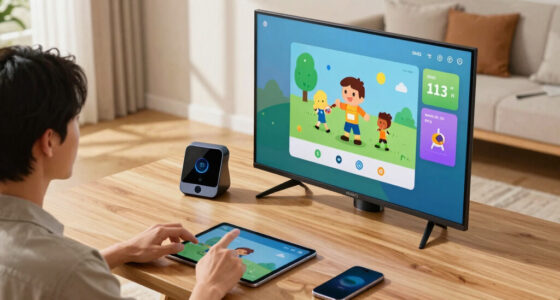
🔍 Read the full analysis: 8 Options For Drawing Tablets And Digital Art In 2027 on ThorstenMeyerAI.com

Prime made for students and young adults
- Fast, free delivery for dorm and study essentials
- Prime Video and Amazon Music included
- Member-only deals
TL;DR
This is a buying guide, not a report of a new product launch or a confirmed 2027 market ranking. It compares eight listed tablets across screen-based, screenless and standalone setups, while advising readers to verify exact product versions, compatibility and included accessories before buying.
A 2027 buyer’s guide compares eight drawing-tablet options for digital artists, from computer-connected pen tablets to standalone devices, with the choice turning on screen preference, workspace and software compatibility more than pen specifications alone, as discussed in the original analysis. The guide identifies the HUION Kamvas 13 (Gen 3) as its overall screen-tablet pick, but it does not provide independent test results or establish a universal best device.
The lineup includes three screenless tablets—the HUION Inspiroy H1060P, HUION H640P and Wacom Intuos Small—alongside two XP-Pen Artist 13.3 Pro V2 listings, the HUION Kamvas 13 (Gen 3), and two standalone models: the Frunsi RubensTab T11 Pro and PicassoTab A10, among the options covered in this drawing-tablet roundup. The source treats the two XP-Pen listings as closely related, but does not give enough detail to establish whether their specifications or packages are identical.
The guide’s main distinction is how each device fits into a digital art tablet setup. Screen tablets show the image beneath the pen but depend on a compatible computer and connection. Screenless tablets use a separate computer display and may offer a larger or more affordable working surface. Standalone tablets can support drawing without a computer, though the available apps and workflow may differ from desktop setups.
The guide ranks the Kamvas 13 (Gen 3) first for direct-on-screen drawing and dual-dial controls, and the H1060P as a value choice for artists who already have a computer and want more drawing area. It favors compact models for portability and describes standalone devices as options for people seeking fewer cables. These are the source’s assessments, not independently verified performance findings.
The 8 picks
- 1
 HUION Kamvas 13 (Gen 3) 13.3-Inch Drawing Pen Display with Dual Dial and StandView on Amazon →
- 2
 PicassoTab 10" Standalone Drawing Tablet (A10)View on Amazon →
- 3
 XP-Pen Artist 13.3 Pro V2 Drawing Tablet with Screen, 16K Pressure Levels, Re…View on Amazon →
- 4
 XPPen Artist 13.3 Pro V2 Drawing Tablet with ScreenView on Amazon →
- 5
 Frunsi RubensTab T11 Pro Standalone Drawing TabletView on Amazon →
- 6
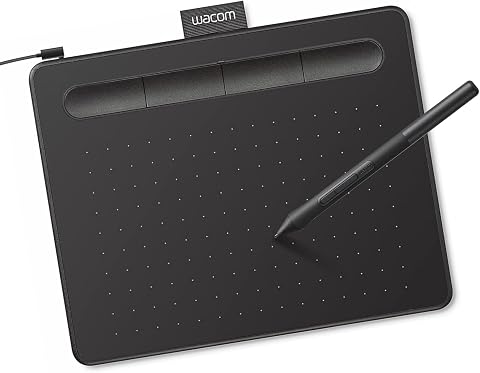 Wacom Intuos Small Wired Drawing Tablet with PenView on Amazon →
- 7
 HUION Inspiroy H1060P Graphics Drawing Tablet, 10 x 6.25 inView on Amazon →
- 8
 HUION Inspiroy H640P 6 × 4-Inch Drawing Tablet with Battery-Free StylusView on Amazon →
Choosing a Setup That Fits
The practical decision is whether to draw on a screen, map pen movement to a separate monitor, or work without a computer. Each choice affects cost, portability, software access and how easily an artist can repeat a familiar workflow. A tablet with more advertised features may still be a poor fit if it does not connect to the user’s computer or run the apps they need.
Workspace also changes how a device feels. A compact surface can suit a small desk or travel, while a larger active area allows broader hand movement but needs more room. The guide cautions that screen size is not the same as usable drawing area: bezels, software panels and canvas layout also shape the available space. Buyers should match the tablet to their own posture, gestures and desk rather than treating size as a quality ranking.
Popular right now
Dyson Car+Boat Cordless Handheld Vacuum

Breville Barista Express Espresso Machine with Built-In Grinder, Black Sesame

Samsung 48-Inch S90F OLED 4K Smart TV (2025)
As an affiliate, we earn on qualifying purchases.
Three Ways to Draw Digitally
The source organizes the choices around three broad device types. A pen tablet has no built-in display; the artist draws on its surface while viewing the result on a connected monitor. This arrangement can take practice, but it may suit people already comfortable working at a computer. A screen tablet places the image where the pen touches, which the guide describes as an intuitive option for sketching and precise placement.
A standalone tablet runs supported drawing tasks on the device itself, reducing dependence on a computer connection. That does not mean every desktop app or workflow is available. The source advises checking supported applications and operating-system requirements before purchase. It also says buyers should confirm the exact connection, computer support, driver and app compatibility, since a display tablet may need a suitable video connection or adapter.
The guide’s selection method emphasizes intended setup, usable workspace, portability, shortcut controls and stated pen features. It says a higher specification alone is not a reason to choose one model over another. It does not provide testing dates, prices, detailed benchmark results or a full account of how each product was evaluated.
“The main tradeoff is between drawing directly on a display, using a more affordable pen tablet with a separate computer screen, or paying for a self-contained tablet.”
— ThorstenMeyerAI.com buying guide
Details Buyers Must Verify
The supplied material does not provide current prices, stock status, release dates or full specifications for all eight options. It also does not resolve whether the two XP-Pen listings refer to the same configuration, a package variation or distinct versions. Buyers should check the seller’s exact model identifier, included accessories and current manufacturer documentation.
Compatibility details are also not fully listed model by model. The source does not confirm which operating systems, drawing apps, adapters or connection arrangements each specific device supports. Its descriptions of value, portability and overall ranking are editorial judgments, not claims backed here by published comparative testing. The guide’s 2027 framing does not establish that every model will remain available or unchanged throughout that year.
Check Models Before Buying
Before purchasing, artists should confirm the exact model and package, then check compatibility with their computer or standalone operating system, preferred drawing apps and connection ports. Screen-tablet buyers should verify how the display connects and whether an adapter or additional cable is needed. Standalone buyers should confirm that their required apps are available on the device.
The next useful step is to compare current prices and return policies, then judge active drawing area and controls against the way the tablet will be used. The source supplies no announced product updates or future release dates, so buyers should rely on current manufacturer and retailer information for availability and specifications.
Key Questions
Is this an announcement of new drawing tablets for 2027?
No. It is a buying guide comparing eight listed options, not a report that the products were newly announced or released in 2027.
Which tablet does the guide rank first?
The source names the HUION Kamvas 13 (Gen 3) as its overall pick for artists who want a computer-connected display and dual-dial controls. That ranking is the guide’s assessment, not an independent test result.
Which options work without a computer?
The source identifies the Frunsi RubensTab T11 Pro and PicassoTab A10 as standalone options. Buyers still need to confirm that the device supports their preferred apps and workflow.
Are the two XP-Pen listings different products?
The supplied guide describes them as closely related listings but does not establish whether they differ in specifications or package contents. Check the exact model and included accessories before choosing.
What should buyers check before ordering?
Verify computer or operating-system support, drawing-app compatibility, connection requirements, active workspace and current package details. Also compare the device’s size and controls with the way you draw and the space available on your desk.
Source: ThorstenMeyerAI.com