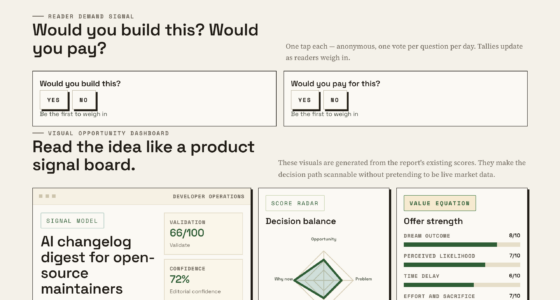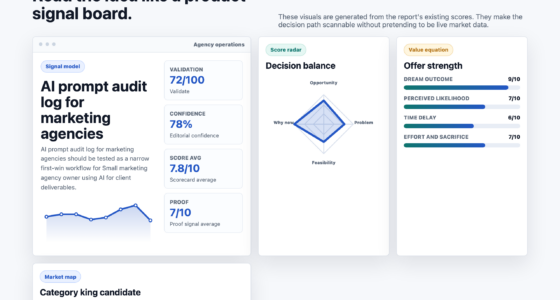
📊 Full opportunity report: What Are AI Tools & How Do They Power Automation? on ThorstenMeyerAI.com — validation score, market gap, and execution plan.
TL;DR
AI tools use models and decision systems to automate tasks like data analysis, content creation, and project management. They enhance efficiency but require careful integration and oversight. This article explores how AI powers automation and what to expect next.
AI tools are software systems that leverage models and automated decision-making to assist or replace human effort in tasks such as data analysis, content creation, and project management. These tools are transforming how organizations automate workflows, making processes more efficient and less labor-intensive. For more insights, see the latest AI tools for work automation.
AI tools operate by using algorithms, often based on machine learning models, to interpret unstructured data, generate content, classify information, and make predictions. Automation involves reducing manual intervention, with AI enabling systems to handle tasks that require understanding language, recognizing patterns, or making decisions in uncertain environments.
Current AI tools are often integrated into workflows to suggest ideas, prepare drafts, or execute routine actions with human oversight. For example, AI can categorize customer inquiries, draft emails, or analyze large datasets faster than manual methods. These tools are widely used in content production, research, personal organization, and business process management.
Choosing the right AI tool begins with mapping specific tasks, understanding their triggers and outputs, and assessing how AI can augment or automate each step. It is important to balance automation with human judgment, especially in areas requiring nuanced decision-making or ethical considerations.
AI Systems · Automation Field Guide · 2026
What Are AI Tools & How Do They Power Automation?
AI tools combine models, data and decision systems to interpret information, create outputs and execute work. They can make workflows faster and less labor-intensive—but useful automation still depends on careful integration, testing and human oversight.
01 · The anatomy
What makes a tool “AI”?
Traditional software applies predefined instructions. AI tools add models that can infer meaning from messy inputs, produce new material and estimate likely outcomes—even when every situation has not been explicitly programmed.
Perception & generation
Machine-learning models identify patterns, interpret language, recognize content or generate drafts from instructions and context.
Rules & judgment
Policies, scores and thresholds determine what the system may do, what it should recommend and when it must escalate.
Workflow execution
Integrations connect intelligence to practical actions: sending messages, updating records, routing requests or launching processes.
Trigger
A request, event, schedule or new record starts the workflow.
Interpret
The model extracts intent, entities, categories or patterns.
Decide
Logic selects an output, action, route or escalation path.
Act
The system drafts, updates, sends, assigns or analyzes.
Review
A person or control system checks quality and exceptions.
02 · The difference
Rules automate certainty. AI navigates ambiguity.
The strongest workflows often combine both: deterministic rules for predictable steps, AI for variable inputs and human judgment for consequential or nuanced decisions.
| Capability | Traditional automation | AI-powered automation | Human judgment |
|---|---|---|---|
| Fixed, repeatable steps | ✓ Excellent | ✓ Excellent | ~ Possible |
| Unstructured text or images | ✗ Limited | ✓ Strong | ✓ Strong |
| Adapting to new patterns | ✗ Reprogram | ✓ Model-driven | ✓ Contextual |
| Explainable, exact execution | ✓ High | ~ Variable | ~ Variable |
| Ethical or high-stakes nuance | ✗ Unsuitable | ~ Assist only | ✓ Essential |
03 · Where value appears
High-volume work is the natural starting point.
AI creates the clearest gains where tasks recur frequently, contain recognizable patterns and have outputs that can be checked. The bars below show relative automation suitability—not guaranteed performance.
04 · Guardrails
Efficiency without control creates fragile automation.
AI outputs can be persuasive without being correct. Reliable systems combine evaluation, permissions, monitoring, privacy controls and clear accountability.
Bias
Training data and workflow choices can reproduce unfair or incomplete patterns.
Opacity
Model reasoning may be difficult to inspect, explain or reproduce consistently.
Reliability
Generated answers can contain confident errors, omissions or fabricated details.
Privacy
Sensitive information requires controlled access, retention and vendor review.
AI tools are transforming workflows by automating complex tasks that traditionally required human judgment, but their success depends on careful integration and oversight.
Thorsten Meyer · AI expert05 · Implementation chain
Choose the workflow before the tool.
Successful adoption begins with a specific task and measurable outcome. Start small, test against real examples and expand only when the controls perform as intended.
Map
Document triggers, steps, owners and outputs.
Select
Find repetitive, bounded, reviewable work.
Pilot
Test with representative real-world cases.
Control
Add permissions, review and escalation.
Improve
Monitor quality, cost, speed and failures.
More capable models
Improved accuracy, context handling and multimodal understanding will widen the range of automatable tasks.
Connected environments
IoT, edge computing and enterprise integrations will bring intelligent automation closer to physical operations.
Responsible AI by design
Bias testing, explainability, privacy and audit trails will increasingly become standard deployment requirements.
Human–AI collaboration
AI is more likely to reshape roles and augment expertise than eliminate every complex human responsibility.
06 · Key questions
The practical answers
AI automation is not a single product or switch. It is a designed system in which models, rules, integrations and people work together.
What are AI tools used for in automation?
They analyze data, generate content, classify information, predict outcomes, coordinate routine work and assist decision-making.
How do they differ from traditional automation?
Traditional systems follow fixed rules. AI can interpret unstructured inputs and respond flexibly to patterns or uncertainty.
What are the main risks?
Bias, poor transparency, privacy exposure, unreliable outputs and inappropriate delegation of consequential decisions.
Will AI replace human workers entirely?
It will automate many tasks, but nuanced, accountable and relationship-driven work will continue to require people.
What should organizations do first?
Map one workflow, define success, verify data quality, identify risks and launch a controlled pilot with clear human ownership.
Why AI Tools Are Reshaping Work Processes
AI tools are significantly increasing productivity by automating repetitive and time-consuming tasks, freeing human workers for more strategic activities. They enable organizations to scale operations efficiently and respond faster to market changes.
Furthermore, AI-driven automation reduces operational costs and minimizes errors, improving overall quality. As AI becomes more integrated into daily workflows, understanding how to select and manage these tools is crucial for maintaining competitive advantage and ensuring responsible use.
However, the reliance on AI also raises questions about job displacement, ethical use, and the need for human oversight, which are ongoing debates among industry leaders and policymakers.

AI Tools for Small Business Owners: The Practical No-BS Guide to ChatGPT, Automation, and AI Workflows That Save 10+ Hours Every Week
As an affiliate, we earn on qualifying purchases.
As an affiliate, we earn on qualifying purchases.
Evolution and Current Use of AI in Automation
AI tools have evolved from simple rule-based systems to complex machine learning models capable of handling unstructured data and making predictions. The development of large language models (LLMs) has expanded AI’s capabilities in natural language understanding, content generation, and conversational interfaces.
Recent years have seen widespread adoption of AI in sectors such as customer service, content creation, data analysis, and personal productivity. Companies like OpenAI, Google, and Microsoft are investing heavily in developing and integrating AI tools into their platforms, making automation more accessible and versatile.
Despite these advances, challenges remain in ensuring data privacy, managing biases, and maintaining transparency in AI decision-making processes.
“AI tools are transforming workflows by automating complex tasks that traditionally required human judgment, but their success depends on careful integration and oversight.”
— Thorsten Meyer, AI expert
As an affiliate, we earn on qualifying purchases.
Key Challenges and Unanswered Questions in AI Automation
It is still unclear how quickly AI tools will fully replace human roles in complex decision-making areas. Concerns about bias, transparency, and ethical use remain unresolved, and regulatory frameworks are still evolving.
Additionally, the long-term impact on employment and the potential for unintended consequences are subjects of ongoing debate. The reliability of AI in high-stakes environments continues to be tested, and best practices are still being established.
As an affiliate, we earn on qualifying purchases.
Upcoming Developments in AI-Driven Automation
Expect continued advancements in AI models, improving their accuracy, transparency, and ability to handle nuanced tasks. Integration of AI with other technologies like IoT and edge computing will expand automation capabilities into new domains.
Organizations will increasingly focus on responsible AI practices, including bias mitigation and explainability, to ensure ethical deployment. Regulatory developments are anticipated to shape how AI tools are adopted across industries.
Research and development efforts will also target making AI more adaptable, context-aware, and capable of collaborating seamlessly with human workers.

Project Management with AI For Dummies
As an affiliate, we earn on qualifying purchases.
As an affiliate, we earn on qualifying purchases.
Key Questions
What are AI tools used for in automation?
AI tools are used to analyze data, generate content, classify information, automate routine tasks, and assist decision-making across various industries, improving efficiency and reducing manual effort.
How do AI tools differ from traditional automation?
Traditional automation follows fixed rules and executes predefined actions, while AI tools can interpret unstructured inputs, adapt to new data, and make decisions in uncertain environments, enabling more flexible workflows.
What are the risks of relying on AI tools for automation?
Risks include potential biases, lack of transparency, errors in decision-making, and ethical concerns. Proper oversight, testing, and responsible use are essential to mitigate these issues.
Will AI replace human workers entirely?
While AI can automate many tasks, it is unlikely to fully replace humans in complex, nuanced roles. Instead, AI is expected to augment human work, allowing people to focus on higher-value activities.
What should organizations consider before implementing AI tools?
Organizations should map their workflows, identify tasks suitable for automation, ensure data quality, and consider ethical implications. Starting with simple, manageable projects helps ensure successful integration.
Source: ThorstenMeyerAI.com